Smart Watches Under $100: How to Choose the Right One
 Kamran Liaquat Ali
- posted on
- No Comment

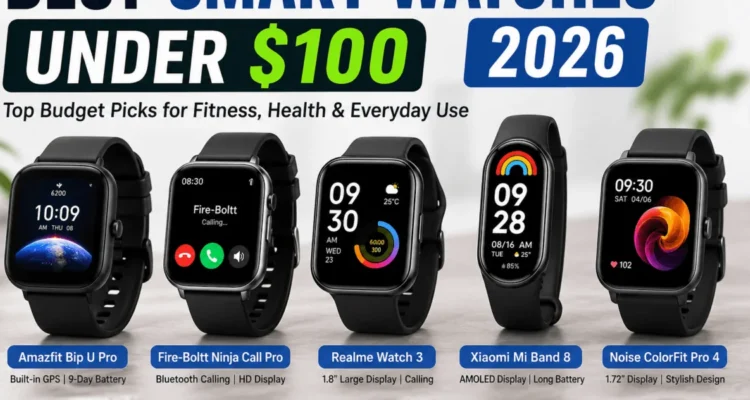
Quick answer: A good smartwatch under $100 should work well with your phone, show notifications clearly, have a bright screen you can read outdoors, last several days on a charge and track steps, sleep and workouts reliably. Built-in GPS is a bonus at this price. Treat heart rate, SpO2 and similar health readings as rough guides, not medical results. Buy from a known brand with a working app and a clear return policy.
This guide to smart watches under $100 explains what to expect, nine checks before you buy and how to test a watch in the return period. It is part of our Tech Buying Guide.
What to Expect at This Price
| Usually good | Usually limited |
|---|---|
| Notifications and step counting | Third-party apps and replying to messages |
| Battery life of 5 to 14 days | Accuracy of advanced health metrics |
| Bright AMOLED screens on many models | Built-in GPS (often missing or weak) |
| Sleep and basic workout tracking | Long-term software updates |
Most watches at this price are “smart bands” or fitness watches rather than full smartwatches. That is often a good thing: they are simpler and last much longer on a charge.
Who Should Buy One?
- People who want notifications on the wrist without checking the phone.
- Beginners who want to track steps, sleep and casual workouts.
- Students and anyone who wants a long battery life.
- People not ready to spend on a premium watch.
Serious runners, cyclists and people who want to answer calls, use apps or pay with the watch should look at higher-priced models.
9 Checks Before You Buy
1. Phone Compatibility
Check that the watch and its app work with your phone and operating system version. Apple Watch only works with iPhone, and many Wear OS watches only work with Android. If you might switch phones, this matters.
2. Which Notifications You Need
Most budget watches show messages but cannot reply, or only allow quick replies on Android. If calls on the wrist matter, look for Bluetooth calling with a speaker and mic.
3. The Display Outdoors
AMOLED screens are brighter with better contrast. Check reviews for sunlight readability and whether there is an always-on display option.
4. Comfort and Build
A light watch with a soft strap is easier to wear all day and at night. Check the strap width so you can buy cheap replacements later.
5. Real Battery Life
Battery claims assume few notifications and no GPS. Always-on display, GPS workouts and frequent heart-rate checks can cut life by half or more.
6. Health Sensors, With Caution
Step counts and resting heart rate are usually reasonable. SpO2, stress, blood pressure and “body age” readings on cheap watches are much less reliable. The US FDA explains how digital health products differ from cleared medical devices.
7. Workouts and GPS
Built-in GPS lets you run without your phone. “Connected GPS” uses the phone’s location instead. If you run or cycle outdoors, check reviews of GPS accuracy.
8. App Quality, Privacy and Updates
The companion app is where you see your data. Check its reviews, what data it collects, whether you can export or delete your data, and whether the brand releases updates.
9. Warranty and Total Cost
Buy from an official store or trusted retailer. Count the cost of a spare charger and straps, and check the warranty and return period.
AMOLED vs LCD
AMOLED screens have deeper blacks, better contrast and support always-on modes efficiently. LCD screens are cheaper and can be harder to read in sunlight. At this price, AMOLED is worth choosing if the battery life is still good.
Water Resistance Explained
| Rating | What it means in practice |
|---|---|
| IP67 or IP68 | Rain, sweat and hand washing; not designed for swimming |
| 5 ATM | Swimming in a pool or shallow water |
| 10 ATM | Swimming and snorkelling; not diving |
Avoid hot showers and saunas even with a water rating, because heat and steam can damage seals.
How to Test a Watch in the Return Period
- Wear it day and night for at least three days.
- Check that notifications arrive on time from your main apps.
- Compare step counts with your phone on a short walk.
- Do one workout and check the data in the app.
- Read the screen outdoors in bright light.
- Note how many days the battery really lasts.
Common Buying Mistakes
- Not checking phone compatibility.
- Trusting medical-style claims on cheap watches.
- Buying an unknown brand with a poorly rated app.
- Expecting full smartwatch apps at a fitness-band price.
- Ignoring the return policy.
Frequently Asked Questions
Is a smartwatch under $100 worth it?
Yes, for notifications, step and sleep tracking and casual workouts. For apps, payments and advanced training, a premium watch is better.
Can a cheap smartwatch measure blood pressure?
Some claim to, but readings from budget watches are not reliable for medical decisions. Use a validated blood pressure monitor instead.
Do I need built-in GPS?
Only if you run, walk or cycle outdoors without your phone and want accurate routes and distance.
How long does the battery last?
Many budget models last 5 to 14 days. Heavy use of GPS and always-on display shortens that a lot.
Final Thoughts
The best budget smartwatch is the one that works with your phone, fits comfortably and lasts long enough that you actually wear it. Focus on compatibility, display, battery and app quality, and treat health numbers as rough guides. Pair it with good wireless earbuds under $50 for workouts, and for privacy on public Wi-Fi see our guide to a cheap VPN for remote work.
