JWT Decoder & Verifier (Free, Private, In-Browser)
 Kamran Liaquat Ali
- posted on
- No Comment

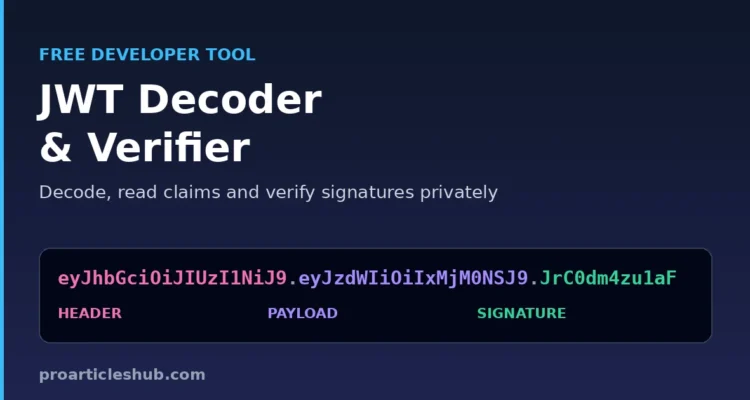
Use this free JWT decoder to read any JSON Web Token in seconds. Paste a token and the tool splits it into header, payload and signature, shows every claim in plain English with real dates for exp, iat and nbf, warns you about expired or unsigned tokens, and can verify the signature with a secret or public key. It runs entirely in your browser, so tokens from your apps never leave your device.
JWT Decoder & Verifier
Paste a JSON Web Token to decode its header and payload, read the claims in plain English and optionally verify the signature. Everything runs in your browser; your token is never sent anywhere.
Header
Payload
| Claim | Value | Meaning |
|---|
Verify signature (optional)
Decoding is not the same as validating. A real API must also check the issuer, audience and expiry, and should only accept the algorithms it expects.
New to tokens? Read our guide What Is a JWT? How JSON Web Tokens Work, which explains each part with examples and shows how to validate tokens in ASP.NET Core.
How to Use the JWT Decoder
- Paste the token into the box. A leading
BearerorAuthorization:prefix is removed automatically. - Read the result: the token is colour-coded into header, payload and signature, and both JSON parts are formatted.
- Check the claims table for human-readable expiry and issue times and a short explanation of each claim.
- Verify the signature (optional): enter the secret for HS256/HS384/HS512, or paste a PEM public key for RS, PS or ES algorithms.
- Click Sample token to try it with a demo token and its secret.
Features
| Feature | What it does |
|---|---|
| Instant decoding | Decodes the Base64URL header and payload and pretty-prints the JSON |
| Readable claims | Converts exp, iat and nbf timestamps into UTC and your local time, with “expires in” or “expired ago” |
| Security warnings | Flags alg: none, expired tokens, tokens that are not valid yet and tokens without an expiry |
| Signature verification | Checks HS256/384/512 with a secret, and RS, PS and ES (256/384/512) with a PEM public key, using your browser’s Web Crypto API |
| Clear errors | Explains why a value is not a valid JWT: wrong number of parts, invalid Base64URL or invalid JSON |
| JWE detection | Recognises 5-part encrypted tokens and explains why their payload cannot be read |
| Private by design | No uploads, no logging and no server calls; safe for real access tokens |
Why Decode Tokens Locally?
Access tokens are credentials. Anyone who holds a valid token can call your API until it expires. Pasting production tokens into a website that sends them to a server is a real risk. This decoder never transmits your token: decoding and signature checks happen with JavaScript and the Web Crypto API inside your browser tab.
Decoding vs Validating a JWT
Decoding only reads what is inside the token. The payload of a normal signed JWT is encoded, not encrypted, so anyone can decode it. Validating is what your server must do before trusting it: check the signature with the right key, confirm the algorithm is one you expect, and check the issuer, audience and expiry. Our JWT guide shows a full ASP.NET Core example.
Common JWT Problems This Tool Reveals
| What you see | Likely cause |
|---|---|
| “Not a valid JWT” with 1 or 2 parts | The token was cut off when copying, or it is an opaque token, not a JWT |
| Expired | The exp time has passed; request a new token or use a refresh token |
| Not valid yet | The nbf time is in the future, often because of clock differences between servers |
| Invalid signature | Wrong secret or key, a key from another environment, or the token was modified |
| alg: none | The token is unsigned and must never be accepted by an API |
| Payload is not valid JSON | The value is not a JWT, or extra characters were copied with it |
If your payload JSON itself has problems, our JSON formatter and validator shows the exact line and column of the error.
Frequently Asked Questions
Is it safe to paste my JWT here?
Yes. The token is decoded and verified only in your browser and is never sent to our server. Still, treat production tokens like passwords and avoid sharing them in chats or tickets.
Can this tool decode an encrypted JWT?
No. Encrypted tokens (JWE) have five parts and their payload can only be read with the private key. The tool detects them and shows the header only.
Why does my token show as expired?
The exp claim is a Unix timestamp in seconds. If it is earlier than the current time, the token has expired. The tool shows the exact time in UTC and in your local time zone.
Does decoding a JWT prove it is genuine?
No. Anyone can create a token with any claims. Only a successful signature check with the correct key, plus issuer, audience and expiry checks, proves a token can be trusted.
Which signing algorithms can be verified?
HS256, HS384 and HS512 with a shared secret, and RS256/384/512, PS256/384/512 and ES256/384/512 with a public key in PEM format.
More for Developers
See the full Programming and Development guide, the ASP.NET Core tutorial for beginners and our guide to common JSON errors.
