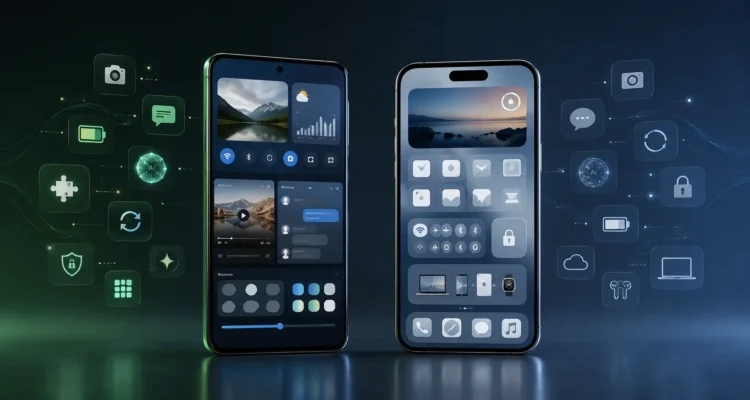
Android Versus iPhone: 11 Powerful Differences

Android versus iPhone is less about finding a universal winner and more about matching a phone to a person’s budget, apps, ecosystem, privacy preferences, camera needs, and expected ownership period.
This evergreen comparison focuses on durable differences rather than one year’s models. It covers price, updates, customization, cameras, AI, security, apps, battery, repair, switching, and long-term value. For related developments, see our technology and AI guide.
Quick answer: Choose Android for maximum device choice and control. Choose iPhone for standardized software and deep Apple ecosystem integration. Compare exact models and total ownership costs before buying.
Table of Contents
Android Versus iPhone: Quick Verdict
Android versus iPhone does not have one universal winner. Android is usually better for device variety, price range, customization, file access, multitasking, and hardware experimentation. iPhone is usually better for consistent software support, polished integration with other Apple devices, predictable accessories, resale value, and a controlled experience. The right choice depends on budget, existing devices, apps, privacy preferences, camera needs, accessibility, and how long the phone will be kept. Compare specific models at similar prices rather than judging an entire platform by one flagship.
Price and Device Choice
Android phones cover a much wider range of prices, sizes, designs, cameras, batteries, foldable formats, and specialist features. Buyers can choose inexpensive models, balanced midrange devices, gaming phones, rugged phones, compact devices, premium flagships, and foldables. Apple offers fewer current iPhone families and keeps tighter control over hardware choices. An older or refurbished iPhone can lower entry cost, but buyers should check battery health, storage, warranty, repair history, and remaining software support. In Android versus iPhone, Android wins variety, while iPhone offers a simpler product lineup.
Ease of Use and Learning Curve
Both platforms are mature and accessible. iPhone emphasizes consistent navigation, standardized settings, and similar behavior across supported models. Android varies by manufacturer because companies may redesign menus, icons, system apps, and features. That variation can be helpful when a manufacturer’s approach fits the user, but it can make instructions less universal. Someone already familiar with Google services may find Android natural; someone using a Mac, iPad, or Apple Watch may find iPhone easier. The best interface is the one a person can operate confidently, especially for accessibility, emergency features, authentication, and daily communication.
Customization and Control
Android generally provides more control over home screens, launchers, default apps, widgets, file management, notifications, split-screen behavior, automation, and installation sources. Manufacturers add their own productivity features and interface options. iPhone has expanded widgets, Lock Screen controls, shortcuts, default-app choices, and personalization, but Apple still limits deeper system changes to preserve consistency and security. Android versus iPhone therefore reflects a trade-off: flexible control versus a more standardized experience. More freedom also creates more settings to understand and more opportunities to install unsafe software.
Software Updates and Support
Apple controls iPhone hardware and iOS, allowing supported models to receive updates directly and broadly. Android support depends on the phone maker, model, region, carrier, and price tier, although leading manufacturers now promise longer support for selected devices. Buyers should verify the exact security-update end date instead of assuming every Android phone follows Google’s schedule. Timely security patches matter more than receiving every visual feature. Our newest version of iOS guide explains how to check Apple updates safely. In Android versus iPhone, compare written support policies for the exact models.
Privacy and Security
Neither platform is automatically private or secure in every situation. Both use encryption, app sandboxing, permission controls, account protection, security updates, and store review. Risk also depends on passcode strength, phishing awareness, app choices, backups, browser behavior, physical access, and update status. Apple emphasizes on-device processing and permission prompts within a tightly controlled ecosystem. Android provides detailed controls but varies across manufacturers and allows more installation flexibility. Review location, camera, microphone, contacts, photos, Bluetooth, and accessibility permissions. A fully updated midrange phone with careful settings can be safer than an expensive neglected flagship.
Apps, Games, and Services
Most major apps are available on both platforms, but features, release timing, subscriptions, accessories, and data transfer can differ. Android allows more alternative stores and sideloading, subject to regional rules and manufacturer policy. That expands choice but requires stronger source verification. iPhone’s controlled distribution offers consistency, yet rules and fees can limit certain experiences. Mobile gamers should compare sustained performance, display refresh rate, cooling, controller support, cloud gaming, and the exact games they play. Paid apps and in-app purchases may need to be bought again when switching platforms.
Cameras and Video
Camera quality depends more on the specific phone than on Android versus iPhone as a whole. Premium Android models may offer larger sensors, long optical zoom, advanced manual controls, high-resolution modes, or unusual lens combinations. iPhones are widely valued for predictable point-and-shoot results, video consistency, app integration, and color matching between lenses. Computational photography can change skin tones, sharpening, motion, and night scenes. Compare original samples involving people, pets, movement, indoor light, zoom, audio, and video stabilization—not only bright landscape photos published by manufacturers.
Performance, Battery, and Charging
Modern premium phones on both platforms are fast enough for messaging, browsing, navigation, photography, productivity, and games. Benchmark scores do not always predict heat, battery drain, modem quality, app smoothness, or sustained gaming performance. Android offers wider battery capacities and charging speeds, while iPhone combines controlled hardware and software for predictable efficiency. Battery life varies with display brightness, network signal, background apps, camera use, gaming, navigation, and battery health. Compare independent tests for the exact model, and consider charger availability, wireless charging, repair cost, and long-term battery replacement.
AI Assistants and On-Device Intelligence
AI features now include writing help, translation, transcription, photo editing, call screening, search, visual understanding, and personal assistance. Availability varies by phone model, language, region, account, and subscription. Google and Android manufacturers can integrate different AI systems, while Apple Intelligence follows Apple’s supported-device and privacy architecture. No assistant is reliable enough for unquestioned medical, legal, financial, or safety decisions. Our on-device AI guide explains why local processing matters. Android versus iPhone should be compared using the AI tasks a buyer will genuinely use.
Ecosystem and Connected Devices
iPhone works especially well with Mac, iPad, Apple Watch, AirPods, iCloud, AirDrop, continuity features, and Apple services. This integration can save time but raises switching costs. Android connects with Google services, Windows computers, Chromebooks, Wear OS watches, smart-home devices, cars, earbuds, and products from many manufacturers. Results vary because the ecosystem is broader and less centrally controlled. List the devices and services already owned before choosing. Replacing a watch, paid cloud plan, family-sharing setup, password manager, or accessories may cost more than the phone-price difference.
Messaging and Communication
Messaging used to create a sharp divide, particularly in markets dominated by iMessage. Cross-platform standards and app improvements reduce some friction, but group chats, media quality, reactions, encryption, backups, and feature availability can still vary by region and carrier. WhatsApp, Signal, Telegram, and other services provide cross-platform options, each with different privacy and backup models. Do not choose a phone solely because of bubble color, but do consider the tools used by family, work, school, and emergency contacts. Test video calling, file sharing, international communication, and accessibility needs.
Storage, Files, and Backups
Android usually provides more visible file-system access and flexible transfer options. Some models support expandable storage, though this is less common in premium devices. iPhone emphasizes app-managed storage, iCloud, and integration with Apple devices. Storage cannot be upgraded internally after purchase, so estimate photo, video, game, offline-media, and work-file needs. Cloud backups are valuable but may require paid capacity. Confirm whether encrypted backups include authentication data, messages, health records, and application settings. Maintain an independent copy of irreplaceable photos and recovery codes.
Repairability and Long-Term Value
Long-term cost includes purchase price, case, charger, storage, cloud subscription, insurance, repair, battery replacement, accessories, and resale value. iPhones often retain strong resale value and have broad accessory availability. Android resale varies substantially by brand and model, while lower purchase prices can still produce better total value. Repairability depends on parts, authorized service, local technicians, manuals, design, and regional law. Before buying, check screen and battery replacement prices, warranty terms, water-damage exclusions, parts pairing, and the expected update period.
Accessibility and Family Use
Both platforms offer screen readers, magnification, captions, hearing-device support, voice control, reduced motion, color adjustments, emergency tools, and parental controls. Quality varies by feature and connected device. A person with a disability should test the actual phone, essential apps, authentication flows, keyboard, camera, and accessories before purchase. Families should consider location sharing, screen-time controls, app approval, account recovery, and compatibility with children’s or older relatives’ devices. Android versus iPhone becomes a practical household decision when support responsibilities are shared.
Switching from Android to iPhone
Apple’s Move to iOS process can transfer supported contacts, messages, photos, calendars, accounts, and other data during setup. The exact items depend on devices, versions, regions, and apps. Keep both phones charged, use stable Wi-Fi or a supported cable, confirm storage, and avoid erasing the old phone until important data is verified. Some paid apps, local files, authenticator accounts, health data, eSIMs, and chat histories may require separate steps. Apple provides an official Android-to-iPhone transfer guide.
Switching from iPhone to Android
Google and manufacturers provide setup tools for copying supported data from an iPhone. Users may need to turn off iMessage, transfer photos stored in iCloud, reconfigure authentication apps, and verify message delivery. Some purchases, health records, Safari data, accessories, and Apple-specific services will not transfer directly. Google’s official Android switching guide lists current methods and limitations. Keep the old iPhone until calls, texts, photos, contacts, banking, passwords, and two-factor authentication work on the new device.
Which Phone Is Better for You?
Choose Android when broad price choice, customization, foldables, file access, alternative stores, hardware variety, or particular manufacturer features matter most. Choose iPhone when Apple-device integration, consistent updates, familiar support, video workflow, resale value, or a standardized interface matters more. Students may prioritize price and battery; creators may prioritize camera workflow and storage; business users may prioritize device management and security policy; families may prioritize shared services. Android versus iPhone is best decided with a written checklist and comparisons between specific models at the same total cost.
Android Versus iPhone Buying Checklist
Before choosing, write down your maximum total budget, required storage, preferred screen size, minimum battery life, camera priorities, essential apps, watch and computer compatibility, update period, repair access, and accessibility needs. Test call quality, keyboard comfort, biometric unlocking, display visibility, speakers, camera speed, and one-handed use in person. Android versus iPhone decisions become clearer when each requirement is ranked as essential, preferred, or optional.
Frequently Asked Questions
Is Android better than iPhone? Android is better for many buyers who value variety, customization, and pricing, while iPhone may be better for Apple integration, consistent support, and simplicity.
Which is more secure? Both can be secure when updated and configured carefully. Device support, app sources, permissions, account protection, and user behavior matter.
Which has the better camera? Compare exact models. iPhone often delivers consistent video, while premium Android phones may offer more zoom and manual flexibility.
Can I transfer my data? Yes, but not every purchase, app record, credential, or cloud item transfers automatically.
Which lasts longer? Longevity depends on update policy, battery replacement, repair access, storage, build quality, and usage.
Android versus iPhone for students often depends on budget, battery life, storage, and laptop compatibility. Android versus iPhone for creators depends on camera workflow, video consistency, file transfer, editing apps, and available storage. Android versus iPhone for business users depends on management policies, security support, authentication, repairs, and existing workplace services.
Android versus iPhone for families depends on shared subscriptions, parental controls, watches, location tools, and who provides technical support. Android versus iPhone for long-term ownership depends on written update support, battery replacement, repair cost, storage, durability, and resale value.
Android versus iPhone ultimately becomes easier when buyers compare two specific models at the same total ownership cost. Android versus iPhone should be decided by daily needs rather than brand loyalty.
Phone platforms also sit inside a wider connected-technology landscape. Our technology and AI guide explains the major trends, while the guides to blockchain technology and the metaverse show how mobile devices connect with identity, digital ownership, immersive services, and emerging platforms.
Final Thoughts
Android versus iPhone is not a contest with one permanent champion. Android provides extraordinary hardware choice and control; iPhone provides a tightly integrated and consistent experience. Both can deliver excellent cameras, privacy controls, AI features, accessibility, performance, and years of useful service when the right model is selected. Compare total ownership cost, written update support, repair options, essential apps, existing devices, and the tasks that matter every day. For wider context on mobile AI, operating systems, privacy, and digital trends, visit our complete technology and AI guide.