On-Device AI: How Private, Offline AI Assistants Work
 Kamran Liaquat Ali
- posted on
- No Comment

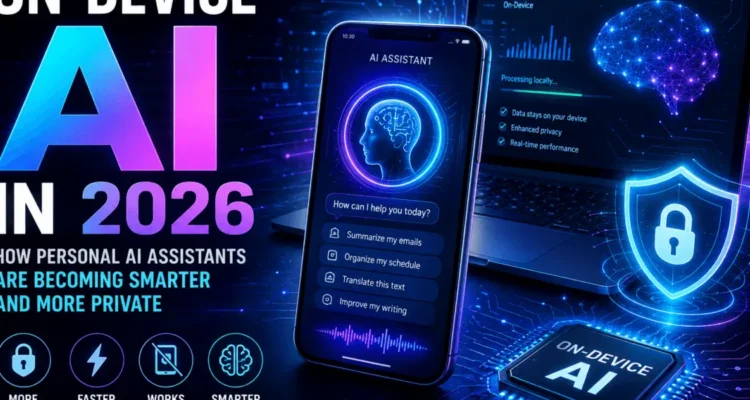
Quick answer: On-device AI means the AI model runs on your phone, laptop or other gadget instead of on a company’s servers. Tasks like summarising a notification, transcribing a voice note or cleaning up a photo can happen without your data leaving the device, often faster and sometimes offline. The trade-off is that the models are smaller, so harder requests are still sent to the cloud.
This article explains how local AI works, what it is good and bad at, and how to tell whether a feature really stays on your device. It is part of our Technology and AI guide.
In this guide
- What Is On-Device AI?
- How On-Device AI Works
- Benefits
- Limitations and Risks
- On-Device AI vs Cloud AI
- Real-World Uses Today
- How to Check Whether a Feature Is Truly Local
- Privacy Checklist
- Should You Buy a Device for Its AI Features?
- Frequently Asked Questions
- Final Thoughts
- Should You Buy a Device for Its AI Features?
What Is On-Device AI?
Most AI assistants you have used, such as ChatGPT, send your request over the internet to a large model in a data centre. Local AI flips that: a compact model is stored on the device and runs on its own chip, usually a dedicated neural processing unit (NPU).
Phones have done small local AI jobs for years, such as face unlock and photo sorting. What changed recently is that devices can now run small language and image models, so writing help, summaries and smarter assistants can work locally too.
How On-Device AI Works
Three things make local generative AI possible:
- Smaller models. Instead of hundreds of billions of parameters, phone models are typically a few billion, compressed (quantised) so they fit in memory.
- NPUs. Chips from Apple, Qualcomm, Google, Intel and AMD include hardware built for the maths AI models use, which is faster and more power-efficient than the main processor.
- System services. The operating system manages the model so apps can call it without each shipping their own copy. Google, for example, offers on-device generative features to Android developers through ML Kit GenAI APIs.
Local, Cloud and Hybrid Processing
In practice most assistants are hybrid. A simple request is handled on the device; a complex one is passed to a larger model in the cloud. Apple describes this approach for Apple Intelligence, which uses on-device models first and a server system called Private Cloud Compute for heavier tasks, as set out in its privacy documentation.
Benefits
1. Privacy for Suitable Tasks
If a message is summarised on your phone, the text does not need to be sent to anyone’s server. That matters for personal messages, health notes or work documents.
2. Speed
There is no round trip to a data centre, so short tasks such as autocorrect suggestions or live captions feel instant.
3. Works Offline
Some features, like transcription or translation of downloaded languages, keep working on a plane or with a weak signal.
4. Personalisation Without a Central Profile
A local assistant can learn from your messages, calendar and habits while that knowledge stays on the device. This is a form of personal semantic memory kept close to the user.
5. Lower Cost at Scale
Every request handled locally is one a company does not pay to run in the cloud, which is one reason device makers are investing heavily in it.
Limitations and Risks
- Less capable models. A model small enough for a phone makes more mistakes on long documents, maths and complex reasoning than a large cloud model.
- Fragmented support. Features often need a recent, high-end device. Two phones running the same operating system may offer different AI features.
- Battery, heat and storage. Running models uses power and memory, and the model files take up storage space.
- Security still matters. Data that stays on the device is only as safe as the device. A lost, unlocked phone is still a privacy risk.
On-Device AI vs Cloud AI
| On the device | In the cloud | |
|---|---|---|
| Privacy | Data can stay on the device | Data is sent to a provider |
| Speed for short tasks | Very fast | Depends on the connection |
| Offline use | Often possible | Not possible |
| Capability | Good for focused tasks | Best for complex tasks |
| Hardware needed | Recent device with an NPU | Any device with internet |
| Cost to the provider | Low per request | Paid per request |
Real-World Uses Today
- Personal assistants and writing tools: summarising notifications, suggesting replies, rewriting text. See what is new in the latest iOS version.
- Photos, audio and accessibility: removing objects from photos, live captions, voice isolation and screen descriptions for people with low vision.
- Translation: live translation of calls and conversations for downloaded languages.
- Business and industry: cameras and sensors that analyse video locally, where sending data to the cloud is slow or not allowed.
Support differs between platforms, which is one factor worth weighing in the Android vs iPhone decision.
How to Check Whether a Feature Is Truly Local
- Turn on airplane mode and try the feature. If it still works, it is running locally.
- Read the feature’s privacy page. Look for wording like “processed on device” and for exceptions.
- Check settings for options such as “on-device only” or controls for sending data to a server.
- Watch for prompts asking permission to use a cloud service or a third-party model.
Privacy Checklist
- Keep the operating system updated so security fixes reach the AI features too.
- Use a strong passcode and biometric lock.
- Review which apps can access messages, photos and microphone.
- Turn off cloud fallback for sensitive tasks if your device allows it.
- Be careful with AI agents that can act on your behalf, as explained in our agentic AI guide.
Should You Buy a Device for Its AI Features?
For most people, not yet as the main reason. Battery life, camera quality, software updates and price still matter more day to day. AI features also change quickly through software updates, so a feature missing today may arrive later, while some will stay limited to newer chips.
It is worth paying attention if you care about privacy, often work offline, or rely on accessibility features like live captions and screen descriptions. In those cases check which features run locally on the exact model you are considering, not just the brand, and how many years of updates the maker promises.
Frequently Asked Questions
Is on-device AI completely private?
Not automatically. The local part keeps data on the device, but many assistants send harder requests to the cloud, and apps may still collect data in other ways. Check each feature’s privacy policy.
Can it work without the internet?
Some features can, such as transcription, photo editing and downloaded translation languages. Features that rely on a cloud model or live information need a connection.
Is local AI better than cloud AI?
It is better for quick, private, personal tasks. Cloud models are still better for long documents, research and complex reasoning. Most people will use both without noticing the switch.
Does it drain the battery?
Heavy use does use more power, but NPUs are designed to be efficient. Occasional tasks like summaries have little noticeable effect.
Which devices support it?
Recent flagship phones and laptops with NPUs, such as newer iPhones, Pixel and Galaxy phones, and Windows Copilot+ PCs. Exact features vary by model and region.
Final Thoughts
Local AI will not replace cloud models, but it will handle more of the small, personal tasks that make up most of what people ask their phones to do. When choosing a device or turning on a new AI feature, ask two questions: where is my data processed, and what happens when the task is too big for the device? For related reading, go back to the Technology and AI guide.
