Android vs iPhone: Key Differences and Which Is Better for You
 Kamran Liaquat Ali
- posted on
- No Comment

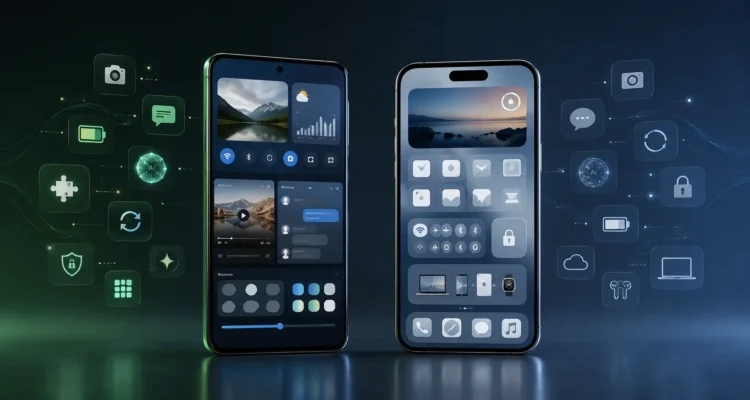
Quick answer: Choose an iPhone if you want long software support, a simple and consistent experience, strong privacy defaults and easy integration with a Mac, iPad or Apple Watch. Choose Android if you want more choice of hardware and prices, deeper customisation, easier file handling and features such as expandable storage on some models. Both platforms are secure and capable; the right answer depends on your budget and the other devices you use.
Android vs iPhone at a Glance
| Factor | iPhone (iOS) | Android |
|---|---|---|
| Choice of phones | Only Apple models | Hundreds of models from Samsung, Google, Xiaomi, OnePlus and others |
| Price range | Mostly mid to high | Very low to very high |
| Software updates | Same day for all supported models, typically five years or more | Depends on the maker; Google Pixel and recent Samsung flagships promise up to seven years |
| Customisation | Limited but growing (widgets, Lock Screen, icons) | Extensive: launchers, default apps, themes |
| App stores | App Store, with alternative stores only in some regions | Google Play plus other stores and direct installs |
| Ecosystem | Tight integration with Mac, iPad, Apple Watch, AirPods | Works well with Windows, Chromebooks and many brands of accessories |
| Files and storage | Files app; no memory card slot | Easy file access; some models support microSD |
| Resale value | Usually holds value well | Varies widely by brand |
Software Updates and Security
Apple releases iOS updates to all supported iPhones at the same time, and supports models for many years; for example, iOS 27 runs on phones back to the iPhone 11. On Android, update speed depends on the manufacturer and carrier. Google Pixel phones get updates first, and leading brands now promise many years of security patches for their flagships, while budget phones may get far fewer. See our guide to the newest version of iOS for current details.
Both platforms are secure when kept up to date. The bigger risks are outdated phones, installing apps from unknown sources and weak account passwords.
Privacy
Apple builds much of its marketing around privacy, with features such as App Tracking Transparency and on-device processing. Android has added similar controls, including permission reminders, approximate location and a privacy dashboard. Google’s business relies more on advertising, so check the privacy settings carefully on any phone you choose. Both platforms are moving AI features on-device too; see our explainer on on-device AI assistants.
Customisation and Ease of Use
iPhones are consistent: every model works the same way, which makes them easy to learn and to support for family members. Android lets you change almost everything, from the home screen launcher to the default browser and keyboard, and features differ between brands. People who like to tweak their phone usually prefer Android; people who want it to “just work” often prefer iPhone.
Hardware and Price
Android covers every budget, from basic phones to premium foldables, and offers features you can choose between, such as larger batteries, faster charging or stylus support. Apple sells a smaller range, so you pay more on average, but iPhones tend to keep their resale value longer.
Ecosystem and Accessories
If you already use a Mac, iPad, Apple Watch or AirPods, an iPhone works with them seamlessly through features like AirDrop, Handoff and shared passwords. Android pairs well with Windows PCs, Chromebooks and a wide range of watches and earbuds. Switching later is possible but takes some effort, especially for messages and paid apps.
Which Should You Choose?
| If you… | Consider |
|---|---|
| Want the longest, simplest support | iPhone |
| Need a capable phone on a tight budget | Android |
| Use a Mac, iPad or Apple Watch | iPhone |
| Want to customise everything or sideload apps | Android |
| Are buying for a less technical family member | iPhone, or a Google Pixel for clean Android |
| Need expandable storage or a stylus | Android (selected models) |
Frequently Asked Questions
Is iPhone more secure than Android?
Both are secure if updated. iPhones get updates faster and for longer on average, while Android security varies more by brand and model.
Can I move my data from Android to iPhone?
Yes. Apple’s Move to iOS app transfers contacts, messages, photos and more during setup. Google offers a similar tool for moving from iPhone to Android.
Which lasts longer?
iPhones and flagship Android phones with long update promises can both stay usable for five years or more. Battery health is often the limiting factor, and a battery replacement can extend a phone’s life.
More in our technology and AI guide.
