Blogger Default Theme: 9 Reasons You Might Replace It
 Kamran Liaquat Ali
- posted on
- No Comment

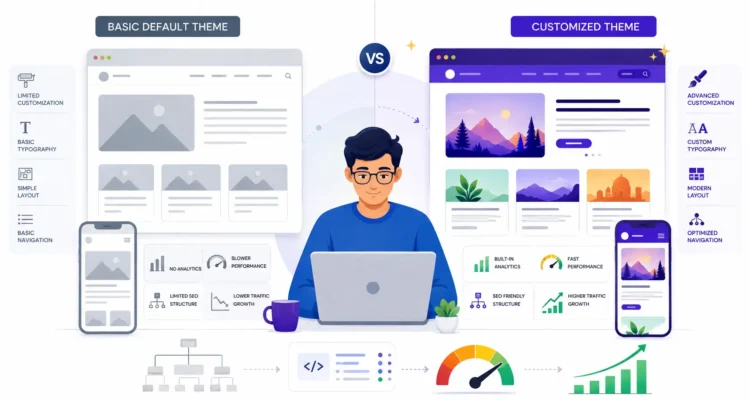
Quick answer: Blogger’s built-in themes (such as Contempo, Soho, Emporio and Notable) are free, secure, mobile-friendly and maintained by Google, so they are a perfectly good starting point. The main reasons to replace one are design and branding limits, fewer layout options for content-heavy blogs, and less control over details such as heading structure and structured data. Replace a default theme only when you have a specific need and have tested the new theme’s speed and HTML.
What Is a Blogger Default Theme?
Default themes are the designs available under Theme in the Blogger dashboard. Each can be customised with the built-in editor (colours, fonts, background and widths) without touching code, and Google keeps them compatible with Blogger updates.
Strengths of the Default Themes
- Free and maintained: no licence cost and no risk of an abandoned third-party theme.
- Mobile-friendly: modern default themes are responsive.
- Safe: no hidden links or obfuscated code, which some free third-party themes contain.
- Compatible: gadgets, comments and Blogger features work as expected.
9 Reasons You Might Replace It
| Reason | What it means |
|---|---|
| 1. Branding | Many blogs look similar; a distinctive design is harder to achieve |
| 2. Layout choices | Limited options for magazine-style homepages or featured sections |
| 3. Content presentation | Fewer built-in styles for tables, notes, code blocks and comparison boxes |
| 4. Navigation | Basic menus can struggle once you have many labels and pages |
| 5. Heading structure | Some layouts use headings in ways you may want to adjust; inspect the HTML before assuming |
| 6. Structured data control | Advanced schema such as FAQ or HowTo needs manual code |
| 7. Performance tuning | Limited control over what scripts and fonts load |
| 8. Ad placement | Fewer native ad locations for AdSense layouts |
| 9. Custom features | Related posts, table of contents or reading progress need extra code |
Before You Replace the Theme
- Back up your current theme from Theme → Back up.
- Check the new theme on a test blog first.
- Run it through Google’s PageSpeed Insights and compare with the default theme.
- View the page source: confirm the post title is the H1, there are no hidden links, and the search description is used as the meta description.
- Prefer themes from reputable developers with recent updates.
Making the Default Theme Work Better
- Use the Customise editor to choose readable fonts and a strong colour contrast.
- Add a simple menu with the Pages gadget and limit sidebar gadgets.
- Enable the search description and fill it in for every post.
- Compress images and use descriptive alt text.
- Keep labels tidy so readers can browse related posts.
These changes, together with the right settings in our Blogger settings guide, cover what most new blogs need.
Frequently Asked Questions
Is the default Blogger theme bad for SEO?
No. Rankings depend far more on your content, settings and links. A default theme is a safe base.
Are free third-party Blogger themes safe?
Some are, but others include hidden links or heavy scripts. Download only from reputable sources and inspect the code.
Can I switch back to a default theme?
Yes. Restore your backup or choose a default theme again from the Theme page.
Setting up a new blog? Start with how to create a Blogger blog.
