7 Amazing Facts About Vibe Coding and AI-Driven Software Development

Vibe coding is a fast, prompt-driven way to build software with artificial intelligence. Instead of manually writing every line, you describe what you want, let an AI coding tool generate or change the code, run the result, and continue prompting until the application works. It can turn an idea into a prototype surprisingly quickly, but speed does not remove the need for testing, security, or human accountability.
This guide explains what vibe coding really means, how it differs from responsible AI-assisted development, where it works well, and why production software needs a more disciplined approach. It also connects this trend with the broader changes covered in our technology and AI guide.
Quick answer: Vibe coding is best for experiments, prototypes, personal tools, and low-risk projects. For production applications, treat AI-generated code like code from any other contributor: understand it, review it, test it, scan it for security problems, document it, and keep a human responsible for the final result.
Table of Contents
What Is Vibe Coding?
Vibe coding is a style of software creation in which a person primarily communicates with an AI model through natural-language prompts and accepts much of the generated implementation without deeply examining every line. The developer describes an outcome, runs the code, reports errors or unwanted behavior, and asks the model to keep refining the project.
The term was coined by Andrej Karpathy in February 2025. Its original meaning was intentionally playful: fully leaning into AI-generated code and sometimes “forgetting that the code even exists.” That origin matters because the phrase is now often used too broadly. As developer and researcher Simon Willison explains, not all AI-assisted programming is vibe coding. If a developer reviews, tests, understands, and owns the generated code, that is disciplined AI-assisted engineering rather than pure vibe coding.
Vibe Coding vs AI-Assisted Development
The difference is not which tool you use; it is how much engineering discipline you apply. In vibe coding, the prompt-and-run loop dominates, and the code may remain largely unexplored. In responsible AI-assisted development, the human remains in control of architecture, requirements, review, testing, security, and maintenance.
An experienced developer can use the same coding assistant for both styles. A weekend prototype may justify a loose vibe coding workflow. A payment system, healthcare application, customer database, or production API requires traceable requirements, controlled changes, and rigorous verification.
How Vibe Coding Works
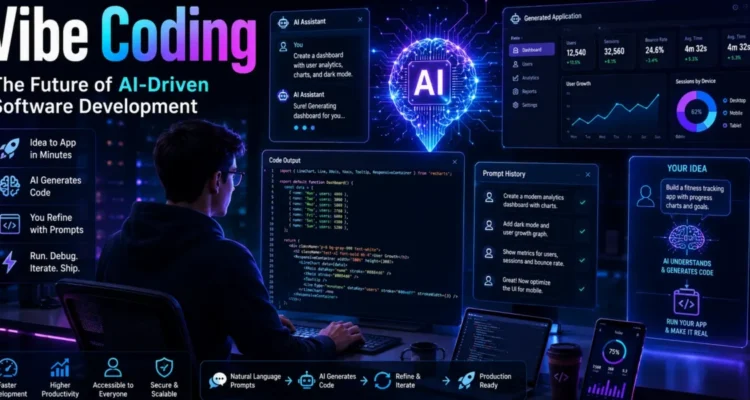
A typical vibe coding session follows a simple loop:
- Describe the outcome: Explain the application, feature, design, or behavior in natural language.
- Generate an initial version: The AI creates code, files, commands, or a project structure.
- Run the result: Launch the project, inspect the interface, or execute tests.
- Report problems: Paste an error, describe a visual issue, or request a new behavior.
- Let the AI revise: The tool edits the code and may run commands or tests.
- Repeat: Continue until the prototype feels complete or a problem requires deeper technical work.
Modern tools can operate across an entire repository rather than suggesting only one function. Some can inspect files, create a plan, modify several modules, run a test suite, and respond to failures. That capability overlaps with agentic AI, where the system selects tools and manages multiple steps toward a goal.
A Simple Vibe Coding Example
Imagine asking an AI tool: “Build a responsive expense tracker with categories, monthly totals, local data storage, and a dark mode.” The tool generates the interface and application logic. You open it and notice that editing an expense breaks the total, so you describe the bug. The AI changes the calculation, you retest, and then request export to CSV.
This loop can create a convincing demo without requiring the user to write each component manually. However, the app may still contain accessibility problems, insecure dependencies, poor data validation, or code that becomes difficult to change. A working screen is evidence that one path worked—not proof that the entire system is correct.
7 Important Facts About Vibe Coding
1. It Is Excellent for Rapid Prototyping
Vibe coding compresses the distance between an idea and something you can click. Product teams can test a workflow before committing to a full build. Designers can explore interactions, founders can demonstrate a concept, and developers can evaluate an unfamiliar API. When the goal is learning rather than long-term maintenance, disposable code can be a rational choice.
2. A Working Demo Is Not Production-Ready Software
Prototype code is optimized for speed and discovery. Production software must handle invalid input, unusual devices, failures, concurrency, permissions, observability, upgrades, and real users. The risk is not that vibe coding produces nothing useful; it is that a successful demonstration creates pressure to deploy code that was never designed for production.
3. Better Prompts Help, but Verification Matters More
Clear context improves results. Useful prompts specify the objective, constraints, existing stack, files that may change, acceptance criteria, and commands used to test the work. Yet even an excellent prompt cannot guarantee correctness. Verification must come from tests, review, runtime behavior, security checks, and domain knowledge.
4. Technical Knowledge Still Creates an Advantage
Beginners can build more than before, but experienced developers recognize fragile architecture, duplicated logic, hidden state, unsafe input handling, and misleading fixes. They know when to stop prompting and investigate the root cause. AI lowers the barrier to creating code, not the barrier to operating reliable software.
5. Context Determines Code Quality
An AI model cannot follow conventions or requirements it cannot see. Repository instructions, architecture notes, examples, schemas, API contracts, and focused file context all improve results. Persistent project context can help, but it must stay accurate. Our explanation of semantic memory in AI shows why relevant, trustworthy recall matters more than simply storing everything.
6. Security Cannot Be Added at the End
Generated code may include vulnerable dependencies, exposed secrets, weak authorization, injection risks, unsafe deserialization, or incorrect cryptography. GitHub’s current coding-agent safeguards use CodeQL, dependency checks, and secret scanning because generated changes need the same security validation as human-written code. These controls are valuable, but they do not replace threat modeling or expert review.
7. The Developer Remains Accountable
The AI does not own the business impact of a bug. The person or organization publishing the software remains responsible for user data, reliability, licenses, accessibility, and safety. If you cannot explain an important part of the system, you are not ready to approve it for a high-impact environment.
Best Use Cases for Vibe Coding
Proofs of Concept
Use vibe coding to test whether an idea is technically plausible or useful to users. Keep the prototype isolated from sensitive data and make it clear that it may be replaced rather than expanded into production.
Personal Tools and Small Automations
A script that renames your own files, formats a private dataset, or generates a personal dashboard may have limited consequences if it fails. Back up the data, inspect commands before execution, and avoid giving the tool broader system access than necessary.
UI Experiments
Prompt-driven development is useful for trying layouts, animations, and interaction patterns. Designers and front-end developers can compare several directions quickly, then rebuild or refactor the selected version using established components and accessibility standards.
Learning and Exploration
Ask the model to explain generated code, compare alternatives, create exercises, or demonstrate a library. Do not only copy the output. Predict what a section will do, run it, change it, and examine the result. Learning comes from testing your mental model, not merely producing a working page.
Boilerplate and Repetitive Tasks
AI assistants can generate test scaffolding, routine data transformations, documentation drafts, configuration examples, and migration starting points. The best tool depends on your editor, stack, privacy needs, and workflow; compare options in our AI coding assistant guide.
When You Should Avoid Pure Vibe Coding
Do not rely on an unreviewed prompt-and-run workflow for systems involving:
- Payments, banking, insurance, or financial decisions
- Medical information, diagnosis, or patient safety
- Authentication, authorization, identity, or encryption
- Personal, confidential, or regulated data
- Industrial controls, vehicles, robotics, or physical safety
- Critical infrastructure or high-availability services
- Large codebases that must be maintained by a team
AI can still assist in these domains, but every change needs appropriate architecture, access controls, testing, review, compliance, and human authorization. Risk should determine the level of autonomy.
A Safer Vibe Coding Workflow
1. Define Scope and Acceptance Criteria
Write down what the feature must do, what it must not do, which files may change, and how success will be measured. Include performance, accessibility, privacy, and compatibility requirements when relevant.
2. Work in a Branch or Sandbox
Keep AI-generated changes away from production. Use version control, a separate branch, a disposable environment, and limited credentials. Review the diff before running unfamiliar commands.
3. Ask for a Plan Before Code
Request a short implementation plan that identifies affected components, assumptions, risks, and tests. Correcting a flawed plan is cheaper than untangling a large incorrect patch.
4. Make Small, Reviewable Changes
Large prompts can produce impressive but opaque rewrites. Break work into focused steps. Commit working checkpoints so you can compare behavior and return to a known state.
5. Test Behavior, Not Just Syntax
A build passing only proves that code compiles. Test normal behavior, invalid input, permissions, failures, edge cases, and regression paths. Ask the AI to suggest tests, then verify that the tests would fail if the implementation were wrong.
6. Run Security and Dependency Checks
Scan for secrets, vulnerable packages, injection risks, insecure network calls, and excessive permissions. Review every new dependency and confirm that its package name, source, version, and license are legitimate. GitHub’s security validation for coding agents illustrates the layered checks modern repositories increasingly apply.
7. Refactor Before Production
Replace duplicated logic, clarify names, simplify architecture, add documentation, remove dead code, and ensure another developer can maintain the result. If the code cannot be explained, tested, or safely modified, the prototype is not finished.
Common Vibe Coding Mistakes
- Accepting every change: Review diffs and reject unrelated modifications.
- Pasting secrets into prompts: Use placeholders and approved secret-management systems.
- Fixing symptoms repeatedly: Ask for the root cause and create a test that reproduces it.
- Adding packages for simple tasks: Every dependency expands maintenance and security risk.
- Skipping backups and version control: Preserve a reliable way to undo changes.
- Confusing confidence with evidence: A fluent explanation does not prove that code is correct.
- Deploying the prototype directly: Create an explicit review and hardening stage.
How Vibe Coding Changes Developer Skills
As code generation becomes easier, value shifts toward defining the right problem, understanding systems, designing interfaces, validating behavior, and making trade-offs. Developers still need programming knowledge, but they spend more time directing, reviewing, and integrating machine-generated work.
Beginners should learn fundamentals alongside AI tools: data structures, control flow, networking, databases, security, debugging, and version control. Professionals should strengthen architecture, evaluation, communication, and domain expertise. These changes also affect hiring and responsibilities, as discussed in our AI jobs guide.
The Future of Vibe Coding
Vibe coding tools will become better at holding project context, planning changes, running tests, operating interfaces, and explaining results. The line between an autocomplete tool and a coding agent will continue to blur. Yet more capability also means a larger potential impact when the system misunderstands a goal or follows untrusted instructions.
The durable future is likely a hybrid model: natural-language direction for speed, automated checks for feedback, and human engineering for responsibility. Fast experimentation will coexist with disciplined production workflows. This is one part of the wider shift mapped in our complete technology and AI guide.
Frequently Asked Questions
Who coined the term vibe coding?
Andrej Karpathy coined the term in February 2025 to describe a playful, prompt-driven style of building software in which the user largely follows AI-generated changes rather than focusing on the underlying code.
Is vibe coding suitable for beginners?
It can help beginners create prototypes and explore ideas, but it should not replace learning programming fundamentals. Beginners need enough understanding to recognize errors, protect data, test behavior, and maintain what they build.
Can vibe coding create a complete app?
Yes, it can create a functioning small application or prototype. Completeness is different from production readiness, which also requires security, reliability, accessibility, performance, documentation, and maintainability.
Is AI-generated code safe?
Not automatically. AI-generated code may be correct, insecure, outdated, or subtly wrong. Review it, test it, scan dependencies and secrets, limit permissions, and apply the same quality controls used for human-written code.
Will vibe coding replace software developers?
It will automate parts of implementation and make prototyping accessible to more people, but reliable software still requires requirements, architecture, security, debugging, judgment, and ongoing maintenance. The developer’s role evolves rather than simply disappearing.
Final Thoughts
Vibe coding is a powerful way to explore ideas and build prototypes at unprecedented speed. Its weakness is not generation itself; it is the temptation to treat visible success as proof of quality. Use the freedom of prompting for discovery, then switch to engineering discipline before users or important data depend on the result.
The safest rule is straightforward: experiment freely in low-risk environments, but never deploy code you cannot understand, test, secure, and maintain. For more context on AI agents, coding assistants, jobs, and other connected developments, visit our complete technology and AI guide.