What Is llms.txt? Does Your Website Need One?
 Kamran Liaquat Ali
- posted on
- No Comment

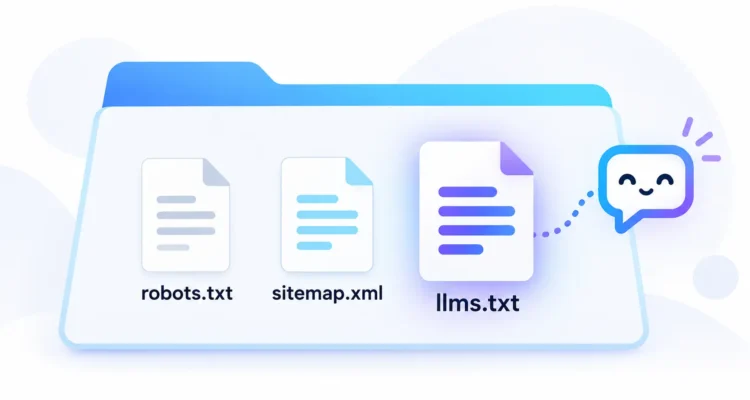
Quick answer: llms.txt is a plain text file, written in Markdown, that sits at the root of a website (for example example.com/llms.txt) and gives AI tools a short summary of the site plus links to its most useful pages. It was proposed in September 2024 by Jeremy Howard. It is not an official web standard, Google has said it does not use it, and most of these files receive almost no visits from AI bots. It is cheap to add and harmless when done correctly, but it will not improve your rankings on its own.
This guide explains what the file is, how the format works, what the evidence says about who reads it, and how we set one up on this site. If you just want to create a file, use our free llms.txt generator.
What Is llms.txt?
Large language models (LLMs) such as ChatGPT, Claude and Gemini work with limited context. A normal web page is full of menus, ads, scripts and footers, which makes it harder for an AI tool to find the useful part. The idea behind the file is to give these tools a clean, human-written map of a site in Markdown, which both people and models read easily.
The proposal was published by Jeremy Howard, co-founder of Answer.AI, and the specification lives at llmstxt.org. It was designed mainly with documentation sites in mind, where developers want AI coding assistants to find the right API pages quickly.
llms.txt vs robots.txt vs sitemap.xml
| File | Main purpose | Who uses it |
|---|---|---|
| robots.txt | Tells crawlers which URLs they may or may not crawl | Search engines and most AI crawlers |
| sitemap.xml | Lists URLs so search engines can discover them | Search engines |
| llms.txt | Summarises the site and points to key pages in Markdown | Some AI tools and agents, inconsistently |
The most important difference: this file does not control access. If you want to block an AI crawler, that still happens in robots.txt or at the server level.
How the Format Works
The specification describes a simple order of Markdown sections:
- An H1 heading with the name of the site or project. This is the only required part.
- A blockquote with a short summary of the site.
- Optional notes in normal paragraphs or lists, with no headings.
- H2 sections, each containing a list of links written as
[Page name](URL): optional note. - An “Optional” H2 section for secondary links that a tool can skip when it needs a shorter context.
A minimal example looks like this:
# Example Coffee Blog

> Brewing guides, equipment reviews and coffee basics for home baristas.

## Brewing Guides

- [Pour-Over Coffee Guide](https://example.com/pour-over-guide/): Ratios and step-by-step method
- [French Press Guide](https://example.com/french-press/): Grind size, timing and common mistakes

## Optional

- [About Us](https://example.com/about/)
The specification also suggests publishing Markdown versions of important pages (for example page.md). That is useful for documentation sites but optional for a typical blog.
Does Anyone Actually Read It?
This is where most guides overpromise, so it is worth looking at the evidence.
- Google: in July 2025, Search Engine Land reported that Google’s Gary Illyes said Google does not support llms.txt and is not planning to, and that John Mueller had said no AI system was using it at the time. Google advises that normal SEO is what matters for AI Overviews. (Search Engine Land)
- Real traffic data: an Ahrefs study of 137,210 domains, published in June 2026, found that 28% had one, but 97% of those files received zero requests in May 2026. Of the requests that did happen, about one in five came from AI bots, mostly AI agents, with OpenAI’s GPTBot the most active single crawler.
- Coding agents: the same study found that AI coding tools such as Claude Code were among the more frequent visitors, which fits the original purpose of helping developers use documentation.
In short: some AI tools fetch the file some of the time, but there is no evidence that having one improves rankings in Google or citations in AI answers.
Should Your Website Have One?
| Type of site | Our recommendation |
|---|---|
| Developer documentation, APIs, software products | Yes. AI coding agents are the most likely readers. |
| Blogs and content sites | Optional. Fine to add if it is accurate and takes little effort. |
| Small business or local sites | Low priority. Focus on your Google Business Profile, content and reviews first. |
| Sites with private or sensitive pages | Be careful. Only list pages you are happy for anyone to read. |
Treat it as cheap insurance, not a ranking lever. Your time is still better spent on helpful content, clear structure and good technical SEO, which is what both search engines and AI answer engines actually rely on. Our Blogging and SEO guide covers those basics.
What We Found on This Site
Our host, Hostinger, includes a tools plugin that can create the file automatically, and it was switched on for this site. When we audited the file in October 2026, it listed 99 URLs, including dozens of older posts we had deliberately set to noindex because they were thin or off-topic. In other words, the file was pointing AI tools to exactly the pages we had asked search engines to ignore.
We turned off the automatic file and replaced it with a small WordPress code snippet that builds the file from our SEO plugin’s settings, so it lists only indexable posts, categories and pages, grouped by category. The new file has 64 URLs, and every one of them was checked to make sure it returns a normal, indexable page. Because it is generated live, a post we later set to noindex drops out of the file automatically.
The lesson: an automatically generated file is only as good as its rules. If you have one, open it and check what it actually lists.
How to Create an llms.txt File
- Choose your key pages. Pillar guides, main tools or products, and documentation. Leave out thin, duplicate, private and noindex pages.
- Write a one-line description for each page that says what a reader will find.
- Group the links into a few H2 sections, and put secondary pages under “Optional”.
- Generate the file. Write it by hand or use our llms.txt generator, which follows the format above and warns about duplicates and missing details.
- Upload it to the root of your domain so it opens at
yourdomain.com/llms.txt. - Keep it updated when you publish, remove or noindex important pages.
Adding It in WordPress
You can upload the file to the root folder through your host’s file manager or FTP. Some hosting tools and plugins generate it automatically; if you use one, check that it excludes noindexed and low-quality pages, as we found ours did not. For other WordPress improvements, see our guide to updating old content with Search Console.
Common Mistakes
- Listing every URL on the site instead of the most useful ones.
- Including noindex, thin or private pages.
- Using relative links instead of full URLs.
- Expecting it to block AI crawlers (that is the job of robots.txt).
- Expecting it to boost rankings or AI citations by itself.
- Setting it up once and never updating it.
Frequently Asked Questions
Is llms.txt an official standard?
No. It is a community proposal published at llmstxt.org in 2024. It has not been adopted by a standards body, and search engines have not committed to using it.
Does llms.txt help SEO?
Not directly. Google has said it does not use the file for search. Rankings and AI Overview visibility depend on normal SEO: helpful content, crawlable pages and clear structure.
Can it block AI bots from my content?
No. To control crawling, use robots.txt rules for specific AI user agents or block them at the server or CDN level.
What is llms-full.txt?
Some sites also publish an llms-full.txt file containing the full text of their key pages in one document. It is a related convention used mainly by documentation sites, and it is not required.
Where should the file be placed?
At the root of the domain, for example https://yourdomain.com/llms.txt, served as plain text.
Final Thoughts
An llms.txt file is a simple, low-cost way to give AI tools a clean map of your best content. The evidence says it is rarely read and does not move rankings, so keep expectations modest, keep the file accurate, and make sure it never points to pages you have hidden from search. When you are ready, build yours with the free llms.txt generator, and explore more resources in our Blogging and SEO guide.
