SQL Formatter & Beautifier (Free, Online, Private)
 Kamran Liaquat Ali
- posted on
- No Comment

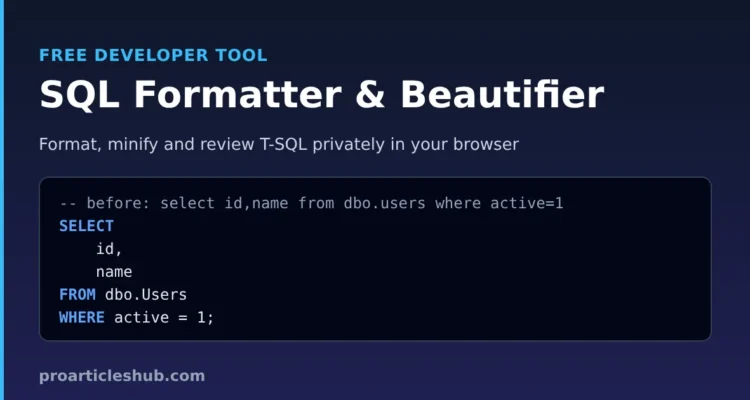
Paste a long, one-line or messy query into this free SQL formatter and get clean, readable SQL in one click. It puts each clause on its own line, lists SELECT columns one per line, lines up JOIN conditions and CASE expressions, and can minify a query again when you need it on one line. It is tuned for SQL Server (T-SQL) and works for most standard SQL, and everything happens in your browser, so queries from your work never leave your device.
SQL Formatter & Beautifier
Paste a query, then click Format SQL (or press Ctrl + Enter). Tuned for SQL Server (T-SQL).
Result
Private by design: your SQL is formatted in your browser and is never uploaded or stored.
Want to know why layout matters and which conventions teams use? Read our guide SQL Formatting Best Practices for SQL Server.
How to Use the SQL Formatter
- Paste your query into the box. Several statements and
GObatch separators are fine. - Choose your style: keyword case (UPPERCASE, lowercase or as typed), indent size (2 spaces, 4 spaces or tab) and trailing or leading commas.
- Click Format SQL or press Ctrl + Enter. The result is colour-highlighted.
- Read the quick checks under the result, then Copy or Download .sql.
- Need a single line for a config file or a log? Click Minify.
What the Formatter Does
| Feature | Details |
|---|---|
| Clause layout | SELECT, FROM, WHERE, GROUP BY, HAVING, ORDER BY, UNION and OFFSET/FETCH each start a new line |
| Column lists | One column per line when a SELECT or UPDATE … SET has several items; short lists stay on one line |
| Joins | INNER, LEFT, RIGHT, FULL and CROSS JOIN and APPLY on their own lines, with ON and extra AND conditions indented |
| Subqueries and CTEs | Nested SELECTs inside parentheses and WITH common table expressions are indented as blocks |
| CASE expressions | Each WHEN and ELSE on its own line, including nested CASE |
| T-SQL blocks | BEGIN ... END, BEGIN TRY / CATCH, IF / ELSE, MERGE, CREATE TABLE column lists and GO |
| Safe for your data | Strings, N'unicode' literals, [bracketed names] and comments are kept exactly as written |
| Minify | Removes comments and extra whitespace while keeping strings intact |
Quick Checks After Formatting
Formatting often reveals problems that were hidden in a long line. After each run the tool lists a few practical review notes:
- UPDATE or DELETE without WHERE, which would change every matching row.
- Missing semicolons, including the ones SQL Server actually requires before a CTE and after
MERGE. - SELECT * in application queries.
- NOLOCK / READUNCOMMITTED hints, which allow dirty reads.
- LIKE ‘%text’ with a leading wildcard, which cannot use an index seek.
- ORDER BY 1, 2 column numbers instead of names.
- Unclosed strings, comments, brackets or parentheses.
These checks look at the text of the query only. They do not connect to a database, read execution plans or know your schema, so treat them as reminders, not as a full code review.
Example: Before and After
A typical query copied from application logs:
select c.CustomerId,c.FullName,count(o.OrderId) as Orders from dbo.Customers c inner join dbo.Orders o on o.CustomerId=c.CustomerId and o.Status<>'Cancelled' where o.CreatedAt>=dateadd(day,-30,sysutcdatetime()) group by c.CustomerId,c.FullName order by Orders descThe same query after formatting with the default settings:
SELECT
    c.CustomerId,
    c.FullName,
    COUNT(o.OrderId) AS Orders
FROM dbo.Customers c
INNER JOIN dbo.Orders o
    ON o.CustomerId = c.CustomerId
    AND o.Status <> 'Cancelled'
WHERE o.CreatedAt >= DATEADD(DAY, -30, SYSUTCDATETIME())
GROUP BY c.CustomerId, c.FullName
ORDER BY Orders DESC
Now it is easy to see the join condition, the filter and the grouping, and a reviewer can comment on a specific line.
Who Is It For?
- Developers cleaning up SQL captured from an ORM such as Entity Framework, from logs or from a profiler trace.
- DBAs and analysts who receive long queries in tickets or chat messages.
- Students learning how a query is built clause by clause.
- Code reviewers who want a consistent layout before comparing changes.
Privacy
The formatter is plain JavaScript running on this page. Your SQL is not sent to a server, not logged and not stored, so it is safe to format queries that contain table names or values from your projects. You can even disconnect from the internet after the page loads and it will keep working.
More Free Developer Tools
- JSON Formatter & Validator: beautify, minify and validate JSON, for example the output of
FOR JSONqueries. - JWT Decoder & Verifier: read and verify JSON Web Tokens.
- Browse every guide and tool in the Programming and Development guide.
Frequently Asked Questions
Is this SQL formatter free?
Yes. It is free, needs no account and has no usage limit.
Does it work for MySQL or PostgreSQL?
It is tuned for SQL Server (T-SQL) but handles common SQL used by MySQL, PostgreSQL and SQLite as well. Dialect-specific syntax is kept as written, although its layout may be simpler.
Will formatting change what my query does?
No. The formatter only changes whitespace and, if you choose, the letter case of SQL keywords. Strings, identifiers, numbers and comments are not changed. Minify also removes comments.
Is my SQL uploaded anywhere?
No. Formatting runs entirely in your browser and nothing is sent to Pro Articles Hub or any other server.
Can it check whether my SQL is valid?
It detects unclosed strings, comments and parentheses and flags a few risky patterns, but it is not a full SQL parser. Run the query in SQL Server Management Studio or Azure Data Studio to confirm the syntax against your database.
