SQL Formatting Best Practices for SQL Server (T-SQL Guide)
 Kamran Liaquat Ali
- posted on
- No Comment

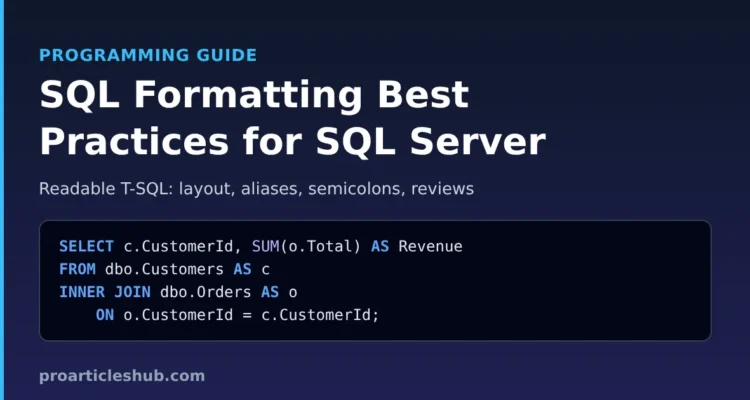
Most SQL is read far more often than it is written: in code reviews, in incident calls, in stored procedures that someone opens years later. A query that runs correctly can still be hard to trust if it is one long line or every developer formats it differently. This guide collects practical SQL formatting best practices for SQL Server (T-SQL) that I use in day-to-day .NET work, with examples you can copy and a free tool to apply them automatically.
The goal is not one “correct” style. It is a style your whole team applies the same way, so a reviewer can spot the join condition, the filter and the risky line in seconds.
In this guide
- Why SQL Formatting Matters
- 1. Put Each Major Clause on Its Own Line
- 2. One Column per Line in SELECT Lists
- 3. Choose a Keyword Case and Stick to It
- 4. Format Joins So the Join Condition Stands Out
- 5. Break Up Long WHERE Conditions
- 6. Indent Subqueries, CTEs and CASE Expressions
- 7. End Statements with a Semicolon
- 8. Name Things Clearly and Consistently
- 9. Use Comments for Intent, Not for Repeating the Code
- 10. Readability Rules That Also Prevent Bugs
- Format SQL Automatically
- SQL Formatting Best Practices Checklist
- Frequently Asked Questions
Why SQL Formatting Matters
- Faster reviews. When each clause and condition sits on its own line, a code review diff shows exactly what changed instead of one modified 400-character line.
- Fewer logic mistakes. A missing join condition or an
ORthat should have been in parentheses is much easier to see in a well-laid-out query. - Easier debugging. SQL Server error messages report line numbers. A formatted batch makes “Incorrect syntax near line 14” useful.
- Shared ownership. Consistent layout lets any developer or DBA maintain a stored procedure without first reformatting it.
1. Put Each Major Clause on Its Own Line
Start every main clause at the left edge of the statement: SELECT, FROM, each JOIN, WHERE, GROUP BY, HAVING and ORDER BY. This gives the query a predictable shape: you read down the left edge to understand what it does.
SELECT
    p.ProductId,
    p.Name,
    p.ListPrice
FROM dbo.Products AS p
WHERE p.IsActive = 1
ORDER BY p.Name;
2. One Column per Line in SELECT Lists
When a SELECT returns more than a couple of columns, put each on its own line with one level of indentation. Adding, removing or commenting out a column then changes exactly one line, which keeps version control history clean.
Teams argue about trailing commas (Name,) versus leading commas (, Name). Leading commas make it easier to comment out the last column; trailing commas read more naturally. Pick one and apply it everywhere. Our SQL formatter supports both.
3. Choose a Keyword Case and Stick to It
SQL Server keywords are not case-sensitive, so select and SELECT run the same. Uppercase keywords are the most common convention in T-SQL code and documentation because they separate the language from your table and column names. Lowercase is also fine if the whole team uses it. Mixed case in one file is the only wrong choice.
Write table and column names exactly as they are defined (for example CustomerId, not customerid). On a database with a case-sensitive collation the wrong case is not just untidy; it fails.
4. Format Joins So the Join Condition Stands Out
Write the join type explicitly (INNER JOIN, LEFT JOIN) and put ON on the next line, indented. Extra conditions get their own AND line. Use short, meaningful table aliases and the AS keyword, and always prefix columns with the alias once more than one table is involved.
SELECT
    c.CustomerId,
    c.FullName,
    o.OrderId,
    o.Total
FROM dbo.Customers AS c
INNER JOIN dbo.Orders AS o
    ON o.CustomerId = c.CustomerId
    AND o.Status <> 'Cancelled'
LEFT JOIN dbo.Invoices AS i
    ON i.OrderId = o.OrderId;
Avoid single-letter aliases that mean nothing (a, b, c for unrelated tables) and the old comma-style join (FROM a, b WHERE a.id = b.id). With an explicit JOIN the join logic and the filter logic are kept apart, so a missing join condition is obvious.
5. Break Up Long WHERE Conditions
Put each condition on its own line starting with AND or OR. When you mix both, add parentheses even if you know the operator precedence: AND is evaluated before OR, and that rule is behind many “why does this return too many rows?” bugs.
WHERE o.CreatedAt >= @FromDate
    AND o.CreatedAt < @ToDate
    AND (o.Status = 'Paid' OR o.Status = 'Shipped');
Use a half-open date range (>= start AND < end) instead of BETWEEN for datetime columns, so you do not miss rows from the last day after midnight.
6. Indent Subqueries, CTEs and CASE Expressions
Anything nested gets one more level of indentation, and the closing parenthesis lines up with the line that opened it. For complex logic, a common table expression (CTE) is usually easier to read than a deeply nested subquery because it gives each step a name.
;WITH LatestOrder AS (
    SELECT
        o.CustomerId,
        o.OrderId,
        ROW_NUMBER() OVER (PARTITION BY o.CustomerId ORDER BY o.CreatedAt DESC) AS rn
    FROM dbo.Orders AS o
)
SELECT
    c.FullName,
    lo.OrderId,
    CASE
        WHEN lo.OrderId IS NULL THEN 'No orders'
        ELSE 'Has orders'
    END AS OrderStatus
FROM dbo.Customers AS c
LEFT JOIN LatestOrder AS lo
    ON lo.CustomerId = c.CustomerId
    AND lo.rn = 1;
Note the semicolon in front of WITH in that example. That is the next rule.
7. End Statements with a Semicolon
In T-SQL the semicolon is the statement terminator. Microsoft’s Transact-SQL syntax conventions say it is not required for most statements today but will be required in a future version, so new code should already use it.
Two cases already fail without it:
- CTEs: when a
WITHcommon table expression follows another statement in the same batch, that previous statement must end with a semicolon, as Microsoft’s CTE documentation explains. Otherwise you get “Incorrect syntax near the keyword ‘with'”. Many developers write;WITHdefensively for this reason. - MERGE: a
MERGEstatement must be terminated with a semicolon, as stated in the MERGE documentation.
8. Name Things Clearly and Consistently
- Always use the schema name (
dbo.Orders, notOrders). It makes the query unambiguous when several schemas contain objects with the same name. - Give computed columns an alias with
AS:COUNT(*) AS OrderCount, not an unnamed column. - Avoid spaces and reserved words in names, so you do not need
[square brackets]everywhere. When you must use them, use brackets, not double quotes, in T-SQL code for consistency. - Name parameters and variables after what they hold:
@CustomerId,@FromDate, not@p1.
9. Use Comments for Intent, Not for Repeating the Code
A comment should explain why a query does something unusual: a business rule, a known data quirk, a performance trade-off. Prefer -- line comments inside queries; they are easy to add and remove. At the top of a stored procedure, a short header with its purpose is more useful than a long change log, which belongs in version control.
-- Exclude test customers created by the QA team (IsTest flag added in 2024).
WHERE c.IsTest = 0
10. Readability Rules That Also Prevent Bugs
Formatting and correctness overlap. These habits make a query easier to read and safer to run:
| Habit | Why it matters |
|---|---|
List columns instead of SELECT * | Reads less data, lets indexes cover the query and stops results from changing when someone adds a column |
Write WHERE before running UPDATE or DELETE | An accidental run without a filter changes every row; format the WHERE on its own line so it is visible |
Be careful with WITH (NOLOCK) | It is equivalent to READUNCOMMITTED in the table hints reference, so the query can read uncommitted data and return missing or duplicated rows |
Avoid LIKE '%text' on large tables | A leading wildcard cannot use an index seek, so SQL Server scans |
Use column names in ORDER BY | ORDER BY 2 silently changes meaning when the SELECT list changes |
| Keep functions off filtered columns | WHERE YEAR(CreatedAt) = 2026 prevents an index seek; use a date range instead |
Format SQL Automatically
Rules only help if they are applied every time. The easiest way is to let a tool do the layout and spend your review time on logic. Paste any query into our free SQL formatter: it applies the layout described in this guide, lets you choose keyword case, indent and comma style, and flags missing semicolons, UPDATE or DELETE without WHERE, SELECT *, NOLOCK and leading wildcards. It runs in your browser, so production queries stay on your machine.
If you build APIs on top of SQL Server, our ASP.NET Core tutorial for beginners and the JSON formatter (handy for FOR JSON output) are good next steps.
SQL Formatting Best Practices Checklist
- Each major clause starts on a new line.
- One column per line in long SELECT lists, with one comma style.
- Keywords in one case across the whole codebase.
- Explicit JOIN types,
ONindented, meaningful aliases. - One condition per line in WHERE, with parentheses around mixed AND/OR.
- Subqueries, CTEs and CASE indented as blocks.
- Every statement ends with a semicolon (always before WITH and after MERGE).
- Schema-qualified names and aliased computed columns.
- Comments explain why, not what.
Frequently Asked Questions
Should SQL keywords be uppercase?
It is the most common convention in SQL Server code because it separates keywords from object names, but SQL Server does not require it. Consistency across the team matters more than the choice itself.
Does formatting affect SQL performance?
No. Whitespace, line breaks and keyword case do not change the execution plan. Changing the query logic does; formatting only makes it easier to see.
Are semicolons required in SQL Server?
Not for most statements today, but Microsoft says they will be required in a future version. They are already required before a CTE that follows another statement and at the end of MERGE.
Leading or trailing commas?
Both are valid. Leading commas make it easy to comment out lines; trailing commas read more naturally. Choose one per codebase.
What is the best free SQL formatter?
That depends on where you work: some editors and IDE extensions can format SQL, and online tools are handy when you just need to clean up one query. Our free SQL formatter is tuned for T-SQL, runs in the browser and does not upload your queries.
Final Thoughts
Following these SQL formatting best practices is a small habit with a big payoff: queries that are quicker to review, easier to debug and safer to change. Agree on a few rules, let a tool apply the layout, and keep your review energy for the logic. For more practical guides, see the Programming and Development guide.
