Blogging and SEO Guide: 8 Powerful Steps to Grow Your Blog
 Kamran Liaquat ali
- posted on
- No Comment

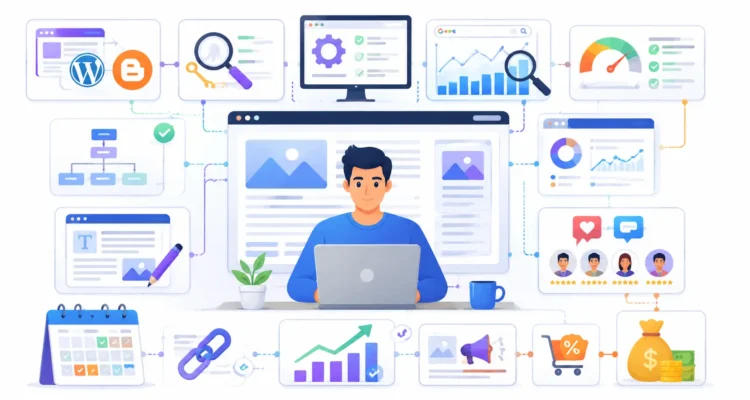
Starting a blog is easy, but growing a blog that actually gets found, read, trusted, and eventually monetized requires a much stronger strategy. This blogging and SEO guide is designed to help beginners and growing publishers understand that complete process from start to finish.
Instead of relying on generic advice such as “publish more content,” this blogging and SEO guide focuses on the practical elements that influence long-term blog growth: choosing the right platform, understanding SEO, configuring important settings, using Google Search Console, creating useful content, building internal links, developing reader engagement, promoting your work, and monetizing responsibly.
If you are creating your first website, moving from Blogger to WordPress, or trying to improve a blog that receives very little organic traffic, this blogging and SEO guide gives you a clear roadmap. Each major step also connects to a dedicated ProArticlesHub resource where you can learn more about that specific topic.
The objective is not to promise overnight Google rankings. A successful blog usually develops through consistent improvement. By following this blogging and SEO guide, you can build a stronger foundation and avoid many of the mistakes that cause new blogs to struggle.
Table of Contents
What Is a Blogging and SEO Guide?
A blogging and SEO guide combines content publishing with search engine optimization. Blogging focuses on creating information that helps, educates, entertains, or informs an audience. SEO focuses on helping search engines discover, understand, index, and potentially rank that information for relevant searches.
These two activities work best together. You can publish excellent articles, but organic traffic may remain limited if your pages are difficult for search engines to discover or understand. Likewise, perfect technical settings cannot compensate for thin, inaccurate, outdated, or unhelpful content.
For this reason, a complete blogging and SEO guide should cover both content and technical optimization.
A strong blogging strategy generally includes:
- A reliable blogging platform
- A clear niche and website structure
- Useful and original content
- Search intent research
- Keyword optimization
- Descriptive titles and headings
- Internal linking
- Optimized images
- Search performance monitoring
- Reader engagement
- Content promotion
- Regular content updates
- Responsible monetization
Google’s official SEO Starter Guide is also worth reading because it provides guidance directly from Google about making content understandable and accessible to search engines and users.
Why Blogging and SEO Need to Work Together
One of the central ideas behind this blogging and SEO guide is that blogging and SEO should not be treated as separate jobs.
Imagine publishing fifty articles first and only thinking about SEO afterward. You may discover that titles need rewriting, URLs are unnecessarily long, pages are poorly connected, important keywords are missing, headings are confusing, images have no useful alt text, and several articles target almost identical topics.
Fixing those issues afterward takes considerably more work.
A better approach is to incorporate SEO into the publishing workflow from the beginning. Before writing, understand the topic and search intent. During writing, create useful sections and internal links. Before publishing, optimize the title, description, URL, images, and headings. After publishing, monitor the page and improve it using real performance data.
That cycle is the foundation of this blogging and SEO guide.
Step 1: Choose the Right Blogging Platform
The first step in this blogging and SEO guide is establishing a solid technical foundation. Your blogging platform influences design flexibility, SEO control, website speed, plugins, analytics, monetization options, and how easily the website can grow.
Blogger can be a straightforward option for someone learning how blogging works. WordPress is widely used by publishers who want more control over themes, plugins, site structure, SEO tools, and custom functionality.
If you are starting from scratch, our step-by-step guide to creating a blog explains the basic process in greater detail.
Choose a Clear Blogging Niche
Before worrying about themes and plugins, determine what your website will actually cover.
A focused niche makes it easier to understand your audience and create related content. It also gives you opportunities to build pillar pages, supporting articles, internal links, and topic clusters.
When selecting a niche, consider:
- What subjects can you research properly?
- What questions are people searching for?
- Can the subject support dozens of useful articles?
- Can you contribute something useful rather than repeating competitors?
- Does the niche have realistic long-term traffic potential?
- Are there appropriate monetization opportunities?
A blogging and SEO guide cannot choose your niche for you, but it can help you evaluate whether your niche supports a coherent content strategy.
Choose a Lightweight and Flexible Theme
A website theme is not purely decorative. It can influence loading performance, mobile usability, navigation, page layout, accessibility, and how easily you can manage content.
If you are using Blogger, read our explanation of why relying on Blogger’s default theme may not always be the best long-term choice.
The lesson from this part of our blogging and SEO guide is simple: build the foundation carefully because changing everything after hundreds of articles have been published can become complicated.
Step 2: Learn SEO Fundamentals Before You Write
The second stage of this blogging and SEO guide is understanding SEO before producing large amounts of content.
SEO stands for search engine optimization. It includes techniques that help search engines crawl, understand, index, and evaluate pages while also improving the experience for people using those pages.
If SEO is completely new to you, start with our guide explaining what search engine optimization is and how SEO works.
Understand Search Intent
Search intent means understanding what a person actually wants when entering a query into a search engine.
For example:
- “What is SEO?” usually indicates informational intent.
- “Blogger vs WordPress” suggests comparison intent.
- “How to connect Search Console” suggests instructional intent.
- “Best WordPress hosting” may indicate commercial investigation.
A page that matches the words of a keyword but fails to satisfy the intent behind those words may disappoint readers.
Therefore, this blogging and SEO guide recommends identifying search intent before deciding how an article should be structured.
Use a Primary Keyword and Related Terms
A primary keyword gives an article a clear search focus. However, optimization does not mean inserting the exact phrase into every sentence.
Place your focus keyword naturally in strategically important locations such as:
- SEO title
- URL when appropriate
- Introduction
- Selected headings
- Main body content
- Meta description
- Featured image alt text
- Conclusion
Then support the main phrase with semantically related terminology. For example, this blogging and SEO guide naturally discusses blog SEO, organic traffic, search rankings, Search Console, content optimization, internal linking, indexing, WordPress, Blogger, keywords, and monetization.
Do Not Sacrifice Readability for Keyword Density
Keyword density can be a useful optimization indicator, but it should never make your writing sound robotic. A page should remain useful and natural for the reader.
The objective of this blogging and SEO guide is to establish topical relevance while still providing an article that humans can comfortably read.
Step 3: Connect Google Search Console
Publishing without measuring results makes SEO much harder. That’s why Search Console is an essential part of this blogging and SEO guide.
Google Search Console can help website owners understand how their content performs in Google Search. Depending on the available report, you can examine search queries, pages, clicks, impressions, indexing information, and certain website issues.
For Blogger users, our guide to connecting Blogger with Google Search Console walks through the setup.
For current documentation and troubleshooting, Google’s official Search Console Help Center should also be part of your reference library.
What Should Bloggers Monitor in Search Console?
This blogging and SEO guide recommends starting with a few useful measurements instead of becoming overwhelmed by every available report.
- Which important pages are indexed?
- Which pages receive impressions?
- Which search queries trigger your pages?
- Which articles receive organic clicks?
- Which pages have impressions but weak click-through performance?
- Are there important indexing problems?
- Are older articles beginning to gain new queries?
Suppose an article already appears frequently in search results but receives relatively few clicks. Improving the title and search snippet may be worth testing. If another article is close to stronger ranking positions, expanding and refreshing it may be more valuable than immediately publishing an unrelated article.
Data should influence future content decisions. That is why measurement belongs near the beginning of a serious blogging and SEO guide, not at the end.
Step 4: Configure Your Blog SEO Settings Correctly
The fourth step of our blogging and SEO guide is technical configuration. A great article cannot perform well in organic search if important pages are accidentally blocked from indexing or the website is structured poorly.
For Blogger-specific configuration, read our step-by-step Blogger SEO settings guide.
You can also review our broader Blogger settings walkthrough.
Review These Important Areas
- HTTPS
- Search engine visibility
- Sitemaps
- Robots settings
- Indexing directives
- Permalink structure
- Page titles
- Meta descriptions
- Categories
- Navigation
- Mobile usability
- Internal links
- Image optimization
If you are unsure about crawling or indexing settings, consult Google’s official crawling and indexing documentation rather than copying advanced settings blindly from random tutorials.
Build a Logical Site Architecture
Site structure becomes increasingly important as a blog grows.
A useful model is:
Main category → pillar guide → supporting child articles → related resources
This structure helps users move from broad information to detailed information. It also allows relevant pages to reinforce one another through internal links.
This very blogging and SEO guide, for example, can serve as a central resource connecting dedicated guides about starting a blog, SEO, Search Console, content writing, engagement, AdSense, affiliate marketing, and blogging income.
Step 5: Write Blog Content That Deserves Search Visibility
Content is the core of every blogging and SEO guide. Technical SEO helps search engines understand a page, but the content still needs to provide a worthwhile answer.
Our detailed guide on how to write a captivating blog post covers the writing side in greater depth.
Start Every Article With a Clear Purpose
Before writing, ask:
What problem will this article solve for the reader?
Your answer should influence the introduction, headings, examples, supporting sections, and conclusion.
A good blogging and SEO guide is not simply long. It is organized around what the reader needs.
Create Helpful Headings
Headings help readers scan long content and understand its structure.
Instead of vague headings such as “More Information,” use descriptive headings that tell the reader exactly what the section covers.
Good structure commonly uses:
- One clear H1 title
- H2 headings for major sections
- H3 headings for subsections
- Lists for scannable information
- Shorter paragraphs for readability
Choose Topics Based on Audience Demand
You need ideas that people actually care about. Our article about popular and trending blog topics can help with brainstorming.
However, trends should not override topical relevance. If your website is about blogging, publishing an unrelated topic simply because it has high search volume can weaken the coherence of your content library.
A better blogging and SEO guide strategy is to identify topics that are both useful to your audience and logically connected to your main niche.
Check Content Originality
Researching competitors and authoritative sources is normal, but your finished article should represent your own structure, explanations, examples, and added value.
You can use our free plagiarism checker as an additional review step before publishing important content.
Add Relevant Images
Images can make long articles easier to understand and visually engaging. Featured images can also help establish a consistent publication style.
Optimize images by using:
- Reasonable file dimensions
- Efficient formats such as WebP where appropriate
- Descriptive filenames
- Relevant alt text
- Proper width and height attributes
- Images that genuinely support the article
This blogging and SEO guide recommends avoiding huge decorative images that add significant page weight without providing meaningful value.
Step 6: Build Internal Links and Topic Clusters
Internal linking deserves its own section in this blogging and SEO guide because it is one of the easiest opportunities many growing blogs overlook.
An internal link connects one page of your website to another relevant page on the same website.
For example, when an article about blogging discusses Search Console, it makes sense to link to your Search Console guide. When it discusses monetization, it can link to your AdSense or affiliate marketing content.
Why Internal Links Matter
Internal links can:
- Help readers discover related content
- Reduce dead-end pages
- Create relationships between topics
- Help search engines discover pages
- Support pillar and cluster structures
- Guide visitors toward deeper resources
A well-organized blogging and SEO guide should therefore link naturally to its supporting articles, and those supporting articles should link back to the main pillar where relevant.
Use Descriptive Anchor Text
Anchor text should tell users what they can expect after clicking.
Instead of:
Click here.
Use something descriptive such as:
Read our complete SEO guide for beginners.
Do not use the exact same keyword-rich anchor excessively. Natural anchor variation makes internal linking more useful and readable.
Regular link audits are also important as a website grows. Our WordPress broken link audit explains what we discovered across 104 pages, including outdated URLs, redirects, inaccessible resources, and the practical process used to review them.
Step 7: Build Genuine Reader Engagement and Promote Your Blog
Publishing an article does not guarantee that people will discover it immediately. Distribution and interaction are therefore important components of this blogging and SEO guide.
Encourage Useful Comments
Comments can allow readers to ask questions, share experiences, provide additional perspectives, and interact with the author.
Our guide on crafting impactful blog comments for connection and interaction explains how useful comments differ from generic promotional messages.
You can also explore our guide to building connections through valuable interaction.
Comments should be moderated. A long list of spam messages containing unrelated links does not create a healthy community.
Promote Content on Relevant Platforms
A practical blogging and SEO guide should include promotion because relying exclusively on Google can make early growth slower.
Depending on your niche and audience, you can consider:
- Medium
- Relevant social networks
- Professional communities
- Industry forums
- Email newsletters
- Guest articles
- Relevant blog discussions
The key word is relevant. Promotion should help people discover useful content rather than turning every online conversation into a backlink opportunity.
Earn Better Backlinks Through Useful Content
Links from other websites can help people discover your content and may contribute to the broader authority and reputation of your site.
However, this blogging and SEO guide recommends quality and relevance over raw backlink counts.
Useful ways to become link-worthy include:
- Publishing detailed guides
- Creating original tools
- Providing useful statistics or research
- Creating diagrams and resources
- Publishing practical checklists
- Answering questions better than existing pages
Step 8: Monetize Your Blog Strategically
Monetization is one of the most exciting parts of a blogging and SEO guide, but it should not become the only purpose of your content.
A blog generally becomes easier to monetize once it has useful content, a defined audience, and consistent visitors.
Google AdSense
Display advertising is one common monetization method. Google AdSense allows eligible publishers to display advertising on their websites.
If you are considering it, read our guide about AdSense approval eligibility.
Policies can change, so always check Google’s official AdSense Program Policies before making important decisions.
Affiliate Marketing
Affiliate marketing is another popular blogging business model. Publishers recommend relevant products or services and may earn commissions from qualifying actions made through tracked affiliate links.
Our affiliate marketing guide explains how this monetization model works.
A good blogging and SEO guide should emphasize that affiliate links should support useful content rather than replace it. The reader should still receive value even if they never purchase anything.
Other Blog Monetization Methods
Blogs can potentially generate revenue through:
- Display advertisements
- Affiliate marketing
- Sponsored content
- Digital products
- Courses
- Consulting
- Freelance services
- Memberships
- Premium newsletters
For a broader overview, read our complete guide on how to make money by blogging.
The monetization lesson from this blogging and SEO guide is straightforward: build trust and usefulness first, then select revenue models that fit your audience.
Ongoing Process: Refresh and Improve Old Blog Posts
The eight steps above establish the core process, but this blogging and SEO guide would be incomplete without discussing content maintenance.
SEO is not something you configure once and forget forever. Search behavior changes. Competitors improve their content. Products disappear. Platforms redesign their interfaces. Statistics become outdated. External links break.
Older content therefore needs periodic attention.
What Should You Check During a Content Refresh?
- Outdated dates and statistics
- Broken outbound links
- Broken internal links
- Old screenshots
- Outdated platform instructions
- Weak or incomplete sections
- Missing internal links to newer articles
- Old titles and descriptions
- Image alt text
- Search intent changes
- FAQ opportunities
- Pages competing for the same keyword
Search Console can help identify pages worth updating. If an older article still receives impressions but has declining clicks or rankings, investigate whether the information needs improvement.
For a practical workflow, read our guide on how to use Google Search Console to update old content. It explains how to review page and query data, decide between updating an existing URL or creating a new article, improve click-through performance, and measure the result.
This ongoing improvement cycle is one of the most valuable habits recommended throughout this blogging and SEO guide.
Complete Blogging and SEO Guide Publishing Workflow
You can turn this entire blogging and SEO guide into a repeatable workflow for every important article you publish.
- Choose a topic relevant to your niche.
- Identify the search intent.
- Research the topic using reliable sources.
- Select an appropriate focus keyword.
- Review related keywords and questions.
- Create an organized heading structure.
- Write useful original content.
- Add examples where they improve understanding.
- Add relevant internal links.
- Add trustworthy outbound references.
- Create or select useful images.
- Optimize image filenames and alt text.
- Write the SEO title and meta description.
- Check the URL.
- Proofread the article.
- Check links before publishing.
- Publish the article.
- Confirm indexing where appropriate.
- Monitor performance in Search Console.
- Promote the content through relevant channels.
- Return later and improve it using real data.
Following this blogging and SEO guide workflow repeatedly is more sustainable than changing your entire strategy every time you discover a new SEO tip.
Common Mistakes This Blogging and SEO Guide Helps You Avoid
A useful blogging and SEO guide should also explain what not to do. Many websites struggle because of basic strategic mistakes rather than advanced technical problems.
1. Publishing Unrelated Content
Random topics make it harder to create meaningful content relationships. Whenever possible, build clusters of related articles around important subjects.
2. Choosing Keywords Without Understanding Intent
A keyword may have search volume but still be inappropriate for the type of article you intend to create. Understand what existing searchers are trying to accomplish.
3. Stuffing Keywords
Keywords help establish relevance, but unnatural repetition damages readability. Even though this page deliberately uses blogging and SEO guide consistently, each use should still fit the surrounding discussion.
4. Forgetting Internal Links
Do not allow valuable articles to become isolated. Connect related pages and periodically update older articles with links to newer resources.
5. Using Weak Titles
Your title should clearly communicate what the article offers. Avoid misleading clickbait that promises something the content does not deliver.
6. Ignoring Search Console
Publishing continuously without reviewing performance means you may miss obvious opportunities already present in your data.
7. Buying or Spamming Low-Quality Links
Focus on useful content, genuine outreach, relevant conversations, and resources that people have a reason to reference.
8. Monetizing Too Aggressively
Advertisements and affiliate links should not make your pages difficult to read or navigate.
9. Ignoring Mobile Users
Always review important pages on smaller screens. Menus, tables, images, ads, buttons, and paragraphs should remain usable.
10. Never Updating Old Articles
Publishing more content is not always the answer. Sometimes improving an existing article produces more value.
Blogging and SEO Guide Checklist for Beginners
Use this blogging and SEO guide checklist when evaluating your own website:
- Have I selected a clear niche?
- Is my blogging platform suitable for my long-term plans?
- Is my website mobile friendly?
- Is HTTPS working correctly?
- Have I connected Search Console?
- Can Google discover my important pages?
- Does my site have logical categories?
- Do I understand the search intent before writing?
- Does each important article have a clear primary topic?
- Are my titles descriptive?
- Are my URLs concise and meaningful?
- Do my articles contain useful headings?
- Are images optimized?
- Do images have appropriate alt text?
- Do important articles link to related content?
- Do child articles link back to relevant pillar pages?
- Do I use trustworthy sources when needed?
- Am I monitoring organic search performance?
- Am I refreshing old content?
- Is monetization helping rather than hurting user experience?
If several answers are “no,” don’t panic. Use this blogging and SEO guide as a roadmap and improve the website one area at a time.
Frequently Asked Questions About This Blogging and SEO Guide
What is a blogging and SEO guide?
A blogging and SEO guide is a structured resource explaining how to create, optimize, publish, promote, measure, and improve blog content. It combines blogging strategy with search engine optimization rather than treating them as completely separate activities.
Can a blogging and SEO guide help a new website?
Yes. A blogging and SEO guide can help beginners understand the correct order of important tasks, including platform setup, SEO configuration, content creation, internal linking, performance tracking, and monetization.
How long does SEO take for a new blog?
There is no guaranteed timeframe. Organic growth depends on competition, niche, content quality, technical health, website history, authority, search demand, and many other factors. New bloggers should usually evaluate progress over months rather than expecting meaningful rankings within days.
Do I need coding skills to follow this blogging and SEO guide?
No. Most of this blogging and SEO guide can be applied without programming knowledge. WordPress and Blogger allow non-developers to publish and optimize content, although basic HTML and technical SEO knowledge can become useful as your website grows.
Is WordPress better than Blogger?
Both platforms can be used for blogging. Blogger offers simplicity, while WordPress generally provides greater control over themes, plugins, hosting, SEO configuration, and advanced website functionality. Your choice should depend on your goals.
How many blog posts should I publish each week?
There is no universal number. Publishing one excellent article consistently can be more useful than publishing several weak articles simply to meet a schedule. Quality, relevance, and sustainability matter.
Should every article have a focus keyword?
Important SEO-focused articles generally benefit from having a clearly defined primary topic or keyword. However, the keyword should guide the content rather than control every sentence.
How important are internal links for SEO?
Internal links are valuable for navigation, content discovery, and establishing relationships between related pages. This blogging and SEO guide strongly recommends creating logical links between pillar pages and their supporting articles.
Do bloggers still need backlinks?
Relevant external links and mentions can help people discover your content and contribute to a site’s broader online reputation. Focus on earning genuine, relevant references rather than pursuing raw backlink numbers.
Can I make money after following a blogging and SEO guide?
A blogging and SEO guide can help you build the foundation required for monetization, but it cannot guarantee income. Revenue depends on traffic, niche, audience quality, monetization model, content usefulness, and execution.
When should I update old blog posts?
Review content whenever important information becomes outdated or when performance data suggests an article could benefit from improvement. High-value evergreen articles should also be reviewed periodically.
Explore Our Complete Blogging and SEO Collection
This blogging and SEO guide is the central resource for our blogging content. Use the following supporting guides whenever you want to explore an individual subject in greater detail:
- How to Create a Blog: Step-by-Step Guide
- Why You Shouldn’t Use Blogger’s Default Theme
- SEO: What Is Search Engine Optimization?
- Connect Your Blogger Blog to Google Search Console
- SEO Settings for Blogger: Step-by-Step Guide
- Settings for Blogger Blog
- How to Write a Captivating Blog Post
- Popular and Trending Blog Topics
- Free Plagiarism Checker
- Crafting Impactful Blog Comments for Connection
- Building Connections Through Valuable Interaction
- AdSense Approval Eligibility
- Affiliate Marketing Guide
- How to Make Money by Blogging
Final Thoughts on This Blogging and SEO Guide
Building a successful blog requires much more than publishing articles and waiting for Google to send visitors. The strongest websites combine useful content, sound technical foundations, thoughtful SEO, clear internal linking, performance monitoring, audience engagement, relevant promotion, and continuous improvement.
This blogging and SEO guide gives you a complete framework for bringing those elements together.
Start by choosing the right platform and building a clear website structure. Learn SEO fundamentals before producing dozens of articles. Connect Search Console and use actual search data. Create content around genuine reader needs. Build strong internal connections between related articles. Promote your work in relevant places, and introduce monetization without sacrificing user experience.
Then repeat the process.
The biggest advantage of following a structured blogging and SEO guide is consistency. Instead of searching for a new shortcut every week, you develop a repeatable system for researching, creating, optimizing, publishing, measuring, promoting, and refreshing content.
Over time, individual articles become interconnected resources. Supporting posts strengthen pillar content, pillar pages guide readers toward detailed answers, and your website becomes easier to navigate and understand.
Remember that SEO is a long-term process. No blogging and SEO guide can guarantee a specific ranking, traffic level, or income. What you can control is the quality of your website, the usefulness of your content, the strength of your structure, and how consistently you improve it.
Use this blogging and SEO guide as your central roadmap whenever you are deciding what to publish, what to optimize, which old article to refresh, or which part of your blogging strategy needs attention next.
Bookmark this blogging and SEO guide, work through the eight steps, explore the supporting resources above, and keep improving your blog one useful page at a time.
