On-Device AI: Smarter and More Private Personal Assistants
 Kamran Liaquat ali
- posted on
- No Comment

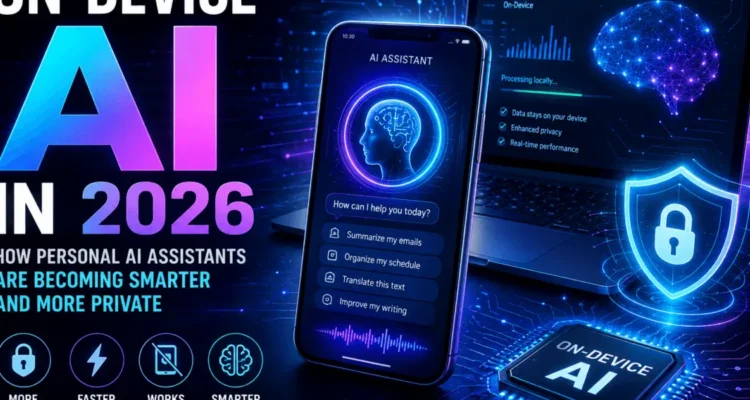
On-device AI means artificial-intelligence processing performed locally on a phone, computer, vehicle, wearable, camera, or other edge device instead of sending every request to a remote data center. In 2026, it powers faster personal assistants, private summaries, real-time translation, image enhancement, accessibility tools, and offline features. The important reality is that most modern assistants are hybrid: suitable tasks run locally, while complex requests may still use protected cloud models.
This guide is part of our complete technology and AI guide and explains how on-device AI works, where it offers real privacy and performance benefits, what its limits are, and how to evaluate an AI assistant before trusting it with personal information. It also separates durable technology from marketing claims so readers can make practical device and privacy decisions.
Table of Contents
What Is On-Device AI?
On-device AI is the local execution of machine-learning or generative-AI models using a device’s own CPU, GPU, neural processing unit (NPU), memory, and storage. Instead of uploading raw audio, photos, messages, or sensor data for every inference, compatible software can process some information where it was created. The output may be a transcription, prediction, summary, recommendation, generated response, or automated action.
Local processing is not the same as complete isolation. An app may perform speech recognition locally but use the cloud for web search. It may summarize a notification on the phone while sending a harder writing request to a server. A trustworthy description of on-device AI therefore explains which steps are local, which are remote, what information leaves the device, and whether users can control that routing.
How Does On-Device AI Work?
A model is first trained using powerful computing infrastructure. A smaller, optimized version is then prepared for compatible devices through techniques such as quantization, pruning, distillation, sparse activation, and hardware-specific compilation. These methods reduce memory, energy, and processing requirements while attempting to preserve useful accuracy.
When a request arrives, the operating system or app checks the task, available model, device capability, battery state, permissions, and sometimes network availability. Local inference converts the input into numerical representations, runs them through the model, and returns an output without necessarily transmitting the original content. Modern NPUs are designed to perform these repeated matrix calculations efficiently.
Local, Cloud, and Hybrid Processing
Pure local processing is useful when privacy, low latency, offline reliability, or predictable cost matters most. Cloud processing remains useful for very large models, current online information, long context, and compute-intensive reasoning. Hybrid systems choose between them. This local-and-cloud balance is one of the connected shifts covered in our technology and AI trends guide. This is why on-device AI should be evaluated as part of a complete data flow rather than as a single product label.
Google’s official Android developer guidance describes Gemini Nano as an on-device model integrated through AICore, enabling compatible experiences without sending data to the cloud. Apple states that many Apple Intelligence tasks run locally and that more demanding requests can use Private Cloud Compute. These examples illustrate the industry’s hybrid direction rather than proving that every feature is always local.
Key Benefits of On-Device AI
1. Better Privacy for Suitable Tasks
The clearest privacy benefit is data minimization. If a message can be summarized or audio can be transcribed locally, the raw content may not need to leave the device. This can reduce exposure during transmission and limit dependence on a provider’s server-retention practices. However, on-device AI is not automatically private: apps may still collect analytics, synchronize results, access backups, or use cloud fallbacks.
2. Faster Responses and Lower Latency
A local model avoids a network round trip, which can make keyboards, cameras, voice interfaces, and accessibility features feel immediate. The advantage is especially noticeable for continuous or real-time tasks such as live captions, noise removal, object detection, gesture recognition, and translation. Actual speed still depends on model size, thermal limits, and device hardware.
3. Offline Reliability
When the required model and data are stored locally, on-device AI can keep working on flights, in remote areas, inside factories, or during network outages. Offline operation is valuable for field service, travel, emergency response, education, and privacy-sensitive environments. Features that need fresh web information or server-only models will still require connectivity.
4. Personalization Without Centralizing Everything
A device already contains calendars, preferences, photos, health signals, app activity, and accessibility settings. Local intelligence can use permitted context to personalize results, while semantic memory in AI assistants can help systems retrieve relevant preferences over time without creating one permanent cloud profile containing every detail. Safe personalization requires clear permissions, local controls, deletion options, and boundaries between apps.
5. Lower Cloud Cost and Network Use
Local inference can reduce server demand and repeated data transfers. For developers, that may lower per-request infrastructure cost; for users, it may reduce bandwidth consumption. The device still pays an energy and storage cost, so efficient models and sensible scheduling remain important.
Limitations and Risks
Smaller Models Can Be Less Capable
Devices have limited memory, battery capacity, and cooling compared with data centers. A compact model may be faster but less knowledgeable or less accurate on complex tasks. On-device AI is well suited to focused functions, while broad research, long documents, and advanced reasoning may require a larger remote model.
Hardware and Feature Fragmentation
Not every phone or laptop has the NPU, memory, operating-system version, or regional support; the latest iOS version guide shows why software support matters required for the same features. Two devices running the same app may provide different capabilities. Our Android versus iPhone comparison explains how device ecosystems affect long-term feature access. Buyers should verify the exact model, supported languages, storage requirements, and update policy rather than assuming a feature is available across an entire product family.
Battery, Heat, and Storage
Repeated local inference consumes power and can generate heat. Large model downloads also use storage. Operating systems may pause, simplify, or redirect workloads when the device is hot or the battery is low. Efficient on-device AI design balances responsiveness with battery life instead of running the largest possible model continuously.
Security Still Matters
Keeping information local reduces some risks but creates others. A stolen or compromised device may expose cached prompts, model outputs, memories, or app data. Malicious apps may seek excessive permissions. Strong device encryption, screen locks, operating-system updates, secure model delivery, app sandboxing, and permission review remain necessary.
On-Device AI vs Cloud AI
Choose local processing when the task is narrow, repeated, latency-sensitive, offline, or based on sensitive context that does not need to leave the device. Choose cloud processing when the task needs a very large model, current internet information, extensive context, collaboration across devices, or heavy computation. In practice, the best assistant uses on-device AI for appropriate work and clearly asks before sending relevant information elsewhere.
Neither architecture guarantees accuracy. Local and cloud models can both hallucinate, misunderstand context, or produce unsafe advice. High-impact decisions involving health, law, finance, employment, or physical safety require qualified human review regardless of where inference occurs.
Real-World Uses in 2026
Personal Assistants and Writing Tools
Modern agentic AI assistants can use on-device processing to summarize notifications, rewrite selected text, organize reminders, classify messages, and suggest actions based on permitted context. The most useful implementations show what data was accessed and let the user approve consequential actions such as sending a message or changing a calendar.
Photography, Audio, and Accessibility
Smartphones already use local models for computational photography, background separation, image cleanup, speech recognition, captions, voice isolation, and hearing assistance. These are strong on-device AI use cases because they benefit from immediate processing of sensor data and can continue without a stable connection.
Translation and Communication
On-device AI with downloaded language models can support transcription and translation without uploading every conversation. Quality varies by language, accent, domain, and device. Users should verify important translations, particularly in medical, legal, or safety-critical situations.
Business, Healthcare, and Industry
On-device AI can help retail devices count stock, factories can detect anomalies, vehicles can interpret sensor input, and healthcare tools can assist with imaging or monitoring close to where data is produced. Local processing can improve response time and data control, but regulated deployments still need validation, access controls, auditability, and professional oversight.
How to Check Whether an AI Feature Is Truly Local
Start with the provider’s technical and privacy documentation. Look for explicit statements about local inference, cloud fallbacks, retention, analytics, model downloads, and supported hardware. Disable the network and test whether the feature still works, but remember that offline operation alone does not reveal what happens when connectivity returns.
Review app permissions, privacy labels, account synchronization, backup settings, and any AI activity report the platform provides. Ask whether prompts or outputs are stored, used for training, shared with third parties, or linked to an account. A credible on-device AI product describes these details instead of relying on a vague “private AI” label.
Privacy and Safety Checklist
- Which parts of the request run locally?
- When does the assistant use a cloud model?
- What exact data is transmitted, retained, or logged?
- Can AI history, memory, and downloaded models be deleted?
- Does the feature work without an account or internet connection?
- What permissions can the assistant use?
- Does it ask before sending, purchasing, publishing, or modifying records?
- How are model and security updates delivered?
Use stronger safeguards as the consequence of an error increases. Drafting a casual note needs less review than interpreting a medical document or controlling a workplace system. On-device AI improves the architecture of many tasks, but it does not remove the need for consent, verification, and accountability.
Frequently Asked Questions
Is on-device AI completely private?
No. Local processing can keep suitable data on the device, but privacy depends on the complete implementation. Analytics, synchronization, backups, third-party extensions, and cloud fallbacks may still transmit information. Check product documentation and settings.
Can on-device AI work without the internet?
Yes, when the required model and data are installed locally. Tasks needing live search, server-only models, account synchronization, or fresh information will still require a connection.
Is local AI better than cloud AI?
It is better for some goals, especially low latency, offline use, data minimization, and predictable local processing. Cloud AI is often stronger for complex reasoning; our guide to ChatGPT and large language models explains the broader cloud-model foundation, large context, and current information. A transparent hybrid approach can combine both.
Does on-device AI use more battery?
Local inference consumes power and may generate heat, although NPUs are designed to perform AI workloads efficiently. Battery impact depends on the model, task frequency, device, and whether processing runs continuously.
What devices support on-device generative AI?
Support depends on processor, memory, operating system, region, language, and vendor. Confirm the exact device and feature requirements on the manufacturer’s current compatibility page before buying.
Explore the Broader Technology and AI Guide
On-device processing connects with agentic assistants, semantic memory, AI jobs, robotics, and other major trends. Read our Technology and AI Guide for the complete pillar overview and links to every related topic.
Before buying a new device for on-device AI, compare supported features rather than relying only on an AI-branded processor. Check whether the tools you need work in your language and region, whether model downloads consume significant storage, how long the manufacturer promises security updates, and whether cloud processing can be disabled. The best on-device AI experience combines capable hardware with transparent software, useful controls, and long-term support.user’s interests.
Final Thoughts
The lasting value of on-device AI is not that every model will move to a phone. It is that developers can place each workload where privacy, speed, reliability, capability, and cost make the most sense. Local models will handle more personal and immediate tasks, while protected cloud systems will continue supporting harder requests.
Users should look beyond the label and ask where data is processed, what leaves the device, how long it is retained, and which actions require approval. A genuinely smart assistant is not only capable; it is transparent, controllable, and designed around the
