Free Meta Description Length Checker | Google Snippet Preview

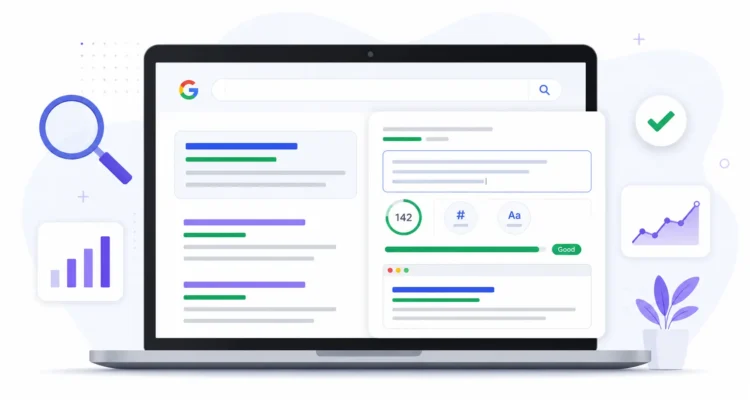
Meta Description Length Checker showing Google search snippet preview and SEO optimization interface
Free SEO Tool

Meta Description Length Checker

Write, analyze and preview your meta description before publishing it.

Processed securely in your browser
Aa 0 Characters
W 0 Words
PX 0 Estimated Pixels
SEO Too Short Length Status
Add a useful description that clearly summarizes the page.
Live Preview

Google Search Snippet Preview

Meta Description Length Checker
Your meta description preview will appear here.

A Meta Description Length Checker is a useful SEO tool that helps you write clear, relevant, and well-optimized descriptions for web pages and blog posts.

Meta descriptions are not a direct ranking factor, but they can influence how users respond to your search result. A strong description can improve click-through rate, set clear expectations, and encourage the right audience to visit your page.

Our free tool lets you check character count, review word count, preview a possible Google search snippet, and receive instant guidance about whether your description may be too short or too long.

Everything runs directly in your browser, so the text you enter is not uploaded to our servers.

What Is a Meta Description?

A meta description is a short summary of a webpage that search engines may display beneath the page title in search results.

It gives users a quick idea of what they can expect before clicking the result. A clear and relevant description can make your page look more useful than competing listings.

For example, when someone searches for a topic such as best SEO tools, the title and description are often among the first elements they notice.

Google may use the meta description you provide, but it can also generate a different snippet from visible page content when another section better matches the user’s query.

Why Does Meta Description Length Matter?

A very short description may not provide enough information to explain the page or encourage users to click.

A very long description may be shortened in search results, especially on smaller screens. Important information placed near the end may not always appear.

There is no single guaranteed character limit for every device and query. Instead of chasing an exact number, aim for a concise and accurate summary that communicates the page value early.

This Meta Description Length Checker gives practical length guidance while helping you review the description as a complete search snippet.

Features of Our Meta Description Length Checker

Live Character Counter

The Meta Description Length Checker updates the character total instantly as you type, paste, or remove text.

Word Counter

The tool displays the number of words in your description so you can review its overall length and structure.

Google Snippet Preview

Preview how your SEO title, URL, and meta description may appear together in a Google-style search result.

SEO Length Status

The tool indicates whether your description is too short, within a practical range, approaching the limit, or potentially too long.

Focus Keyword Highlighting

Enter a focus keyword to highlight it inside the preview and review whether it has been included naturally.

Copy and Clear Buttons

Copy the completed description with one click or clear the form when you want to start again.

Privacy-Friendly Processing

The tool processes your input inside the browser. Your description is not sent to our server for analysis.

How to Use the Meta Description Length Checker

  1. Enter the SEO title of your page.
  2. Add the page URL you want to preview.
  3. Enter your primary focus keyword.
  4. Write or paste your meta description.
  5. Review the live character count and word count.
  6. Check the SEO length status and recommendation.
  7. Review the Google-style snippet preview.
  8. Edit the description until it is clear and relevant.
  9. Copy the final description into your SEO plugin or CMS.

You can also use the sample button to see how a complete description looks inside the Meta Description Length Checker.

Best Practices for Writing Meta Descriptions

Write a Unique Description for Important Pages

Reusing the same description across many URLs can make search listings less useful. Write a description that reflects the specific content and purpose of each important page.

Explain What the Page Offers

Tell users what they will find after clicking. A useful description should summarize the page rather than repeat a vague marketing statement.

Include the Primary Keyword Naturally

Include the main phrase when it fits naturally, especially when it helps clarify the page topic. Avoid repeating it unnecessarily.

Match Search Intent

The description should reflect what the searcher is trying to accomplish, whether that is learning, comparing, buying, downloading, or using a tool.

Place Important Information Early

Mention the main benefit or page purpose near the beginning so it remains visible even if the snippet is shortened.

Use Clear and Engaging Language

Write naturally and explain the value of the page. Phrases such as learn how, compare, check, or use our free tool can work when they accurately describe the content.

Keep the Description Accurate

Avoid promises the page cannot deliver. A misleading description may attract clicks, but it can also lead to quick exits and a poor user experience.

Review the Entire Search Snippet

The title, URL, and description should work together. Avoid repeating the exact same message in both the title and description.

Common Meta Description Mistakes to Avoid

Using the Same Description on Multiple Pages

Duplicate descriptions make it harder for users to understand how similar pages differ.

Keyword Stuffing

Repeating several keyword variations in one short description can make it sound unnatural and difficult to read.

Writing a Vague Description

Generic text such as “Welcome to our website” does not explain why the page is useful or relevant.

Leaving Important Pages Blank

Google can generate a snippet automatically, but writing a strong description gives you an opportunity to present the page clearly.

Making Misleading Claims

Do not promise free downloads, guaranteed results, or information that the page does not actually provide.

Focusing Only on Character Count

A description can fit within a common range and still be weak. Relevance, clarity, uniqueness, and search intent matter more than reaching a particular number.

Forgetting Mobile Users

Search results can display differently across devices. Keep the most valuable information near the beginning.

Who Should Use This Tool?

The Meta Description Length Checker is useful for:

  • Bloggers
  • SEO professionals
  • Digital marketers
  • Content writers
  • Website owners
  • WordPress users
  • E-commerce businesses
  • Affiliate marketers
  • Freelancers
  • Students learning SEO

Whether you manage one website or hundreds of pages, the Meta Description Length Checker can help you review search descriptions before publishing.

How Meta Descriptions Affect Click-Through Rate

Meta descriptions do not directly determine rankings, but they can influence whether a user chooses your result.

A relevant description can improve the perceived usefulness of the page by explaining what the visitor will find. The Meta Description Length Checker can support better click-through performance by helping you refine that message before publishing.

The strongest descriptions usually match the page content, align with search intent, and communicate value without sounding exaggerated.

Can Google Rewrite a Meta Description?

Yes. Google may replace your provided description with text taken from the page.

This can happen when another section of the content appears more relevant to the specific search query. It does not necessarily mean your original description is incorrect.

Using the Meta Description Length Checker to write a clear, unique, and accurate description gives Google a useful option and can improve the quality of your search presentation.

Use these related ProArticlesHub resources to improve your content and on-page SEO:

Google Guidance on Search Snippets

Google recommends writing useful, page-specific descriptions while acknowledging that search snippets may be generated dynamically based on the user’s query.

You can read more in the official Google Search Central documentation about search snippets .

Frequently Asked Questions

What is a meta description?

A meta description is a short summary of a webpage that may appear beneath the title in search engine results.

Does a meta description improve rankings?

Meta descriptions are not a direct ranking factor. However, a clear and relevant description can make a search result more appealing and potentially improve click-through rate.

What is the ideal meta description length?

Google does not guarantee a fixed character limit. The best approach is to write a concise, accurate, and useful summary while placing important information early.

Can Google rewrite my meta description?

Yes. Google may generate a different snippet from the visible page content when it believes that text better matches the user’s query.

Should every page have a unique meta description?

Important pages should generally have unique descriptions that accurately reflect their individual content.

Should I include my focus keyword?

Include the primary keyword when it fits naturally and helps describe the page. Avoid forcing or repeating it.

What happens if I leave the meta description blank?

Search engines may generate a snippet automatically from visible page content. However, writing your own description gives you more control over the message.

Is this Meta Description Length Checker free?

Yes. The tool is free to use and does not require registration.

Is the text I enter stored?

No. The tool processes the description directly in your browser and does not upload the text to our servers.

Final Thoughts

A well-written meta description can improve how users understand and respond to your search listing.

While it does not directly increase rankings, it can support better click-through performance by clearly explaining the page value and matching user intent.

Use our free Meta Description Length Checker whenever you publish or update a page. Combine a strong description with an optimized SEO title, useful content, clear headings, and a fast website to create a better overall search experience.

Leave A Comment