Best Free Word Counter Tool for Writers in 2026

word counter tool

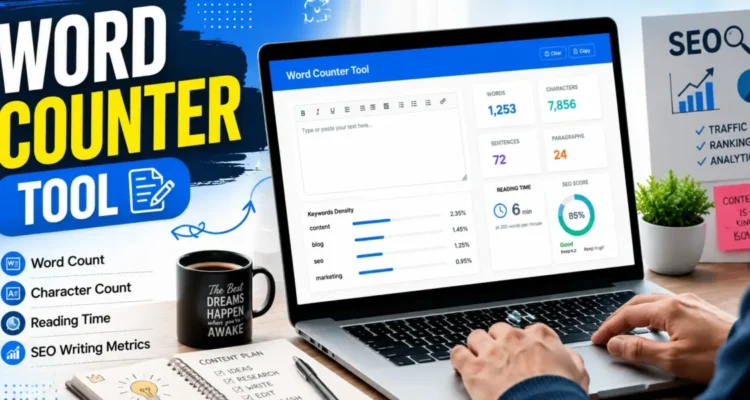
Use this free word counter tool to quickly count words, characters, sentences, paragraphs, and estimated reading time. It is useful for bloggers, students, writers, and SEO content creators who want to check content length before publishing.

Free Word Counter Tool

Paste your text below to count words, characters, sentences, paragraphs, and reading time.

0Words
0Characters
0Sentences
0Paragraphs
0Min Read

What Is a Word Counter Tool?

A word counter tool is a simple online utility that measures the number of words, characters, sentences, paragraphs and estimated reading time in a piece of text.

It can be useful when writing blog posts, academic assignments, essays, social media captions, product descriptions, emails, reports and business documents. Instead of counting text manually, the tool provides instant statistics while you type or paste your content.

Writers, students, bloggers, teachers and SEO professionals regularly use word counting tools to meet content requirements, improve structure and maintain a consistent writing process.

Why Use a Word Counter Tool?

Knowing the exact length and structure of your text can help you plan, edit and improve content more efficiently.

Save Time

Manually counting words, characters and sentences can be frustrating and time-consuming. A word counter completes these calculations instantly, allowing you to focus on writing and editing.

Meet Writing Requirements

Schools, universities, clients and publishing platforms often specify minimum or maximum word limits. This tool helps you monitor your progress and avoid submitting content that is too short or too long.

Improve Content Quality

Monitoring text length can make it easier to identify sections that need more detail or paragraphs that have become unnecessarily long. This can improve clarity, organization and readability.

Support SEO Content Writing

A word count does not determine search rankings by itself, but it can help writers plan complete and well-structured content. The goal should be to cover the topic properly rather than reaching an arbitrary number.

Estimate Reading Time

Estimated reading time gives you an idea of how long an average visitor may need to read the content. This can be useful when planning tutorials, guides, articles and newsletters.

How Does the Word Counter Work?

The tool analyzes the text entered into the input box and calculates several useful statistics automatically.

  • Words: Counts individual words separated by spaces.
  • Characters: Counts letters, numbers, spaces and punctuation.
  • Sentences: Estimates the number of complete sentences.
  • Paragraphs: Counts separate text blocks.
  • Reading time: Estimates how long the text may take to read.

Results update instantly, so you can edit your content and immediately see how the changes affect the statistics.

Features of This Free Word Counter Tool

Live Word Count

The total word count updates automatically as you type, paste or remove text.

Character Count

The tool shows the total number of characters in your content, including spaces. This is useful for social media posts, advertisements, titles and descriptions with strict character limits.

Sentence Count

Sentence counting can help you review writing structure and identify overly long sections that may need to be divided.

Paragraph Count

The paragraph counter helps you monitor content organization and ensure that large blocks of text are broken into readable sections.

Estimated Reading Time

The reading-time estimate provides a quick indication of how long a typical reader may spend on the content.

Instant Results

No button press or page reload is required. All statistics update in real time.

One-Click Clear Option

Use the clear button to remove the current content and start a new analysis.

No Registration Required

The tool is free to use and does not require an account, login or software download.

Who Can Use This Tool?

This free online word counter can be useful for:

  • Bloggers
  • Students
  • Teachers
  • Copywriters
  • SEO professionals
  • Content marketers
  • Journalists
  • Authors
  • Freelancers
  • Business professionals
  • Social media managers
  • Website owners

Anyone who works with written content can benefit from accurate word, character and reading-time statistics.

How to Use the Word Counter Tool

  1. Type or paste your content into the text box.
  2. Review the statistics displayed below the input area.
  3. Continue editing while the results update automatically.
  4. Check the word, character, sentence and paragraph totals.
  5. Review the estimated reading time.
  6. Use the Clear Text button when you want to start again.

The tool works directly in your browser and does not require registration or installation.

Benefits for Bloggers and SEO Professionals

Bloggers and SEO writers often use word counters while planning, drafting and editing articles.

Better Content Planning

Setting an approximate target can help divide an article into logical sections without adding unnecessary information.

Improved Article Structure

Word, sentence and paragraph statistics can help identify areas that need more explanation or better formatting.

More Consistent Publishing Standards

Teams and freelance writers can use target ranges to maintain consistency across blog posts, product descriptions and landing pages.

Improved Readability

Monitoring sentence and paragraph structure can encourage shorter sections that are easier to scan on desktop and mobile devices.

Support for Keyword Analysis

Knowing the total word count is also useful when reviewing keyword frequency. You can use our Keyword Density Checker to analyze how often a target phrase appears in your content.

Does Longer Content Rank Better?

Longer content does not automatically rank higher. A page should be long enough to answer the reader’s question thoroughly, but unnecessary repetition can reduce quality and make the article difficult to read.

The ideal content length depends on the topic, search intent and level of detail required. A short page can perform well when it provides a complete answer, while a complex guide may require significantly more information.

Use the word count as a planning metric rather than a fixed ranking target.

Common Word Count Mistakes

Adding Unnecessary Text to Reach a Target

Repeating the same point in different words can weaken an article. Add information only when it improves the reader’s understanding.

Ignoring Readability

A long article with large paragraphs can be difficult to read. Use short paragraphs, descriptive headings and lists where appropriate.

Focusing Only on Length

Word count is only one content metric. Accuracy, originality, search intent, structure and user experience are more important than hitting a specific number.

Not Editing After Reaching the Target

Reaching the required word count does not mean the content is finished. Review the article for grammar, repetition, missing information and unclear sentences.

Tips for Writing Better Content

  • Start with a clear purpose and target audience.
  • Use headings to organize the main ideas.
  • Keep paragraphs focused on one topic.
  • Remove repeated or unnecessary sentences.
  • Use examples when they improve understanding.
  • Write naturally instead of forcing keywords.
  • Review the final content for clarity and accuracy.

For more writing guidance, read our guide on how to write a captivating blog post .

You may also find these ProArticlesHub tools useful:

Google’s Guidance on Content Quality

Google recommends creating helpful and reliable content for people rather than focusing only on search-engine signals. Word count can assist with planning, but quality, relevance and usefulness should remain the main priorities.

You can learn more from the official Google Search Central guidance on helpful content .

Frequently Asked Questions

What is a word counter tool?

A word counter tool is an online utility that calculates the number of words, characters, sentences, paragraphs and estimated reading time in a piece of text.

Is this word counter tool free?

Yes. The tool is completely free and does not require registration.

Who should use a word counter tool?

Bloggers, students, teachers, writers, marketers, journalists and business professionals can all benefit from using a word counter.

Does the tool count characters?

Yes. It counts characters along with words, sentences, paragraphs and estimated reading time.

Does the character count include spaces?

Yes. The displayed character count includes letters, numbers, punctuation and spaces.

Can I use this tool for SEO content?

Yes. SEO writers can use the tool to monitor article length, improve structure and support keyword-density analysis.

What is a good word count for a blog post?

There is no universal ideal length. The article should be long enough to answer the topic thoroughly without adding unnecessary or repetitive information.

Does a higher word count improve rankings?

Not automatically. Search performance depends more on relevance, quality, usefulness, search intent and overall user experience than on word count alone.

Is my text stored by this tool?

The counter operates directly in the browser. Avoid pasting confidential or sensitive information into any online tool unless you understand its privacy policy.

Final Thoughts

A word counter tool is a practical resource for monitoring text length, structure and estimated reading time. It saves time and helps writers meet requirements without manually counting every word or character.

Use the statistics to support your editing process, but remember that strong content depends on clarity, accuracy, relevance and usefulness—not word count alone.