Bulk Image Size and WebP Checker
 Kamran Liaquat Ali
- posted on
- No Comment

Enter the main homepage only. The tool will detect the sitemap and scan up to 500 URLs.
Looking for the XML sitemap…
| # | Preview | Source Page | Image URL | Format | File Size | Dimensions | Status | Recommendation |
|---|
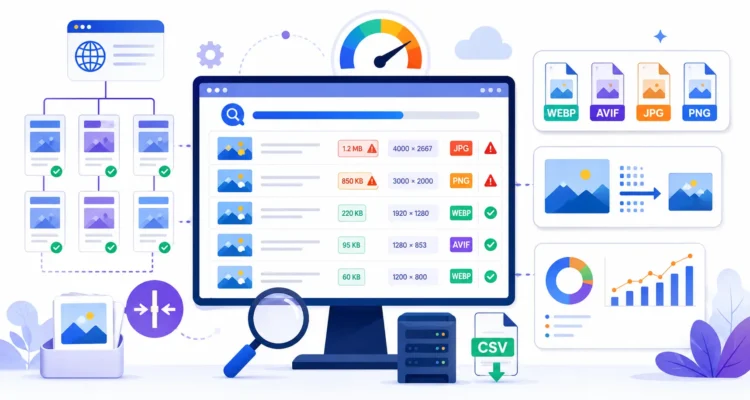
Enter your homepage URL above and click Start Image Audit. The tool finds your XML sitemap, scans up to 500 pages and lists every image it finds with its file size, format and dimensions. Filter by Large, Very Large, Legacy Format or Large Dimensions to see what to fix first, and stop the audit at any time.
Why Image Size Matters
Images are often the heaviest part of a page. Large files slow down loading on mobile data and can delay the Largest Contentful Paint (LCP), one of Google’s Core Web Vitals. Faster pages are better for readers and can help in search when other factors are equal.
How to Use the Image Checker
- Enter your homepage only, for example
https://example.com. - Click Start Image Audit. The tool looks for your sitemap and starts scanning pages.
- When it finishes, filter by Very Large and Legacy Format first.
- Note which pages use each image, then compress, resize or convert those files.
- Replace the images in your media library and run the audit again.
Reading the Results
| Filter | What it means | Typical fix |
|---|---|---|
| Optimized | Reasonable size and a modern format | No action needed |
| Large / Very Large | The file is heavier than it needs to be | Compress it and resize it to the largest size it is displayed at |
| Legacy Format | JPEG, PNG or GIF instead of WebP or AVIF | Convert to WebP; most hosts and plugins can do this automatically |
| Large Dimensions | The image is far wider than it is shown on screen | Upload a smaller version or let WordPress serve responsive sizes |
Image Optimisation Checklist
- Resize before uploading. A blog content area rarely needs images wider than about 1,200 to 1,600 pixels.
- Use WebP for photos and graphics; it is supported by all modern browsers and is usually much smaller than JPEG or PNG at similar quality.
- Set
widthandheightattributes so the layout does not jump while loading. - Lazy-load images below the fold, but not the main image at the top of the page, which should load immediately.
- Write descriptive alt text; check it with our bulk image alt text checker.
Limitations
- The audit covers up to 500 URLs from your sitemap. Pages not in the sitemap are not scanned.
- Images loaded only by JavaScript or CSS backgrounds may not be detected.
- Sizes reported are the files your server sends; a CDN may serve different versions to different devices.
Recommended Image Sizes for Blogs
Use these targets when the image size and WebP checker flags a file as too large:
| Image type | Suggested width | Target file size |
|---|---|---|
| Featured image | 1200 to 1600 px | Under 150 KB |
| In-content image | 800 to 1200 px | Under 100 KB |
| Screenshot | Actual display width | Under 150 KB |
| Thumbnail or icon | 150 to 400 px | Under 30 KB |
To fix heavy files in one step, resize and convert them with our free image to WebP converter. These are practical targets, not strict rules. The goal is images that look sharp at the size they are displayed, without extra pixels or bytes. After fixing sizes, check that every image also has descriptive alt text with the bulk image alt text checker. Faster images support the technical side of search engine optimization.
Frequently Asked Questions
What file size is too large for a blog image?
There is no fixed rule, but most content images can be well under 200 KB after resizing and WebP compression. Hero images may be larger if they are high quality and loaded efficiently.
Is AVIF better than WebP?
AVIF often compresses further, but encoding is slower and support in tools is less universal. WebP is a safe default for most WordPress sites.
Will converting to WebP break old links?
Most WordPress conversion plugins keep the original files and serve WebP automatically, so existing links continue to work. Test a few pages after enabling conversion.
More free tools: Keyword Density Checker, Word Counter, Meta Description Length Checker, URL Slug Generator, XML Sitemap Checker, Meta SEO Audit Tool, Bulk H1 Tag Checker, Broken Link Checker, Bulk Image Alt Text Checker, SEO Title Length Checker. See all of them on our free SEO tools page.
